Skip to product information
1 of 1

Geomagic for SOLIDWORKS Education | Reverse Engineering Software

Geomagic for SOLIDWORKS Education | Reverse Engineering Software

"Only schools are eligible to purchase educational licenses."

Regular price $2,491.00 USD
Regular price Sale price $2,491.00 USD
Sale Sold out
Shipping calculated at checkout.
Type

Geomagic for SOLIDWORKS Education extends SOLIDWORKS with powerful reverse engineering capabilities. It allows students to import 3D scan data or point clouds directly into the SOLIDWORKS environment, extract features, and build parametric CAD models while preserving design intent, all at accessible academic pricing.

View full details

What is Geomagic for SOLIDWORKS Education?

Geomagic for SOLIDWORKS Education is an integrated reverse engineering software plug in that brings professional scan-to-CAD tools directly into the SOLIDWORKS environment. Delivering the exact same feature set as the commercial version under academic licensing, it enables students to process point clouds and meshes, extract geometries, and perform advanced surface fitting. 

By working natively inside SOLIDWORKS, it ensures students can learn advanced 3D scanning and hybrid modeling workflows without needing to master a separate, standalone CAD application.

  • Why Educators & Researchers Choose Geomagic for SOLIDWORKS Education

    Educators choose this add-in because it seamlessly embeds industry leading reverse engineering tools into the familiar SOLIDWORKS interface. It eliminates the steep learning curve of separate software, allowing students to focus on building practical scan-to-CAD skills while maximizing the institution's existing SOLIDWORKS investment.

    Get a Free Demo
  • Empowering Classrooms & Labs with 3D Metrology

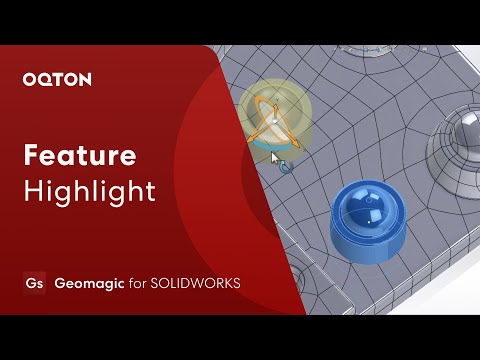
    Geomagic for SOLIDWORKS Education empowers students to bridge the gap between physical objects and digital design natively. They can scan objects directly into the software, reconstruct complex organic shapes, verify accuracy with real-time deviation analysis, and generate solid models ready for prototyping or 3D printing.

    Request a Free Trial

Typical Workflow Using Geomagic for SOLIDWORKS Education

A typical classroom or research workflow using Geomagic for SOLIDWORKS Education includes the following steps:

  1. Import point cloud data or scan directly into SOLIDWORKS using integrated 3D scanner hardware.
  2. Perform straightforward, expert handling and refinement of the huge mesh and point cloud data sets.
  3. Rebuild usable CAD utilizing automatic surfacing tools for fitting accurate surfaces to your mesh.
  4. Verify your design using real-time Deviation Analysis to directly compare your 3D model to the scan data.

Geomagic for SOLIDWORKS Education equips students to transform raw 3D scans into complete, editable CAD design files using real-world reverse engineering workflows.

  • Full Professional Feature Access

    Includes the complete Geomagic for SOLIDWORKS software feature set — identical to the commercial version — supporting full point cloud processing, feature extraction, and CAD reconstruction directly inside SOLIDWORKS.

  • Flexible Academic Licensing Options

    Available as Network (floating) or Perpetual licenses with included maintenance — giving institutions the freedom to scale across classrooms and research labs.

  • Seamless SOLIDWORKS Integration

    Work directly inside the familiar SOLIDWORKS environment with all Geomagic reverse engineering tools embedded seamlessly for a faster, more intuitive workflow.

  • Direct Scanning & Data Import

    Scan directly into SOLIDWORKS from devices like Artec 3D, FARO, or Hexagon, and import all common point cloud and mesh file formats.

  • Advanced Surface Fitting & Hybrid Design

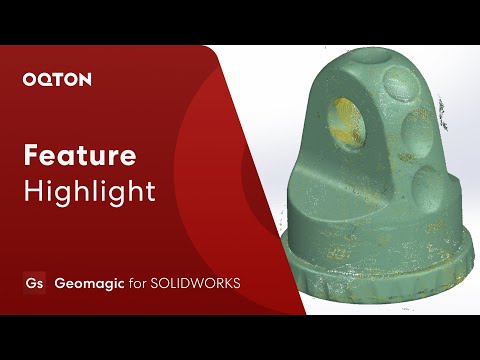
    Apply surface fitting to organic 3D scans and merge analytic features with freeform geometry to teach advanced hybrid design, the core of reverse engineering education.

  • Real Time Deviation Analysis

    Easily compare the final CAD object with the original mesh object using interactive deviation color maps to ensure accuracy between the 3D scans and the final models.

1 of 6
  • Automotive Engineering

    Students apply advanced surfacing techniques to 3D scan data to reverse engineer and optimize motorsport body panels.

  • Industrial Design

    Students utilize auto surfacing tools to transform 3D scans of consumer products into smooth, manufacturable CAD models.

  • Mechanical Engineering

    Students gain hands-on experience in university CAD labs converting complex 3D scan data into native parametric models.

1 of 3

See Geomagic for SOLIDWORKS in Real Design Workflows
Geomagic Software Training

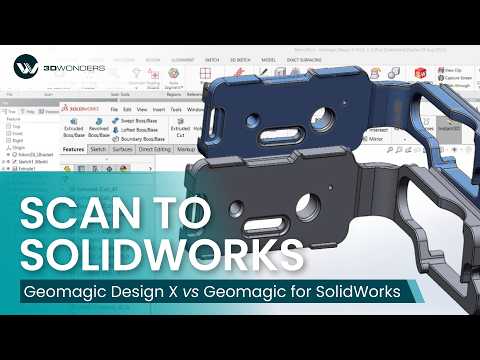
3D Wonders offers live online training for Geomagic software, including Design X, Control X, and Geomagic Freeform. These sessions help engineers and designers learn the key workflows used in scan-to-CAD modeling, inspection, and organic design.

Training is delivered by experienced specialists and focuses on practical techniques for working with 3D scan data, CAD reconstruction, and digital modeling.

Available topics include:

• Reverse engineering with Geomagic Design X
• Inspection and GD&T analysis with Geomagic Control X
• Organic modeling with Geomagic Freeform

Our online training sessions can be organized for individuals or teams and adapted to your workflow and experience level.

Request Training Information

Elevate your engineering and design programs with accessible, industry standard technology.

  • Increase Graduate Employability

    Train students on the exact native SOLIDWORKS reverse engineering workflows used by modern manufacturing and design firms.

  • Maximize Lab Budgets

    Deploy the software cost-effectively using the Classroom Suite (25 network licenses) or Individual Educational Seats to scale across labs.

1 of 2

Computer Requirements

Category Requirements
Operating System Windows 10/11 (64-bit) (Requires compatible SOLIDWORKS version)
Processor (CPU) Intel Core i7 or equivalent (Recommended for SOLIDWORKS)
Memory (RAM) 16 GB minimum (32 GB or more highly recommended for huge mesh data sets)
Graphics (GPU) SOLIDWORKS certified professional graphics card
Storage 512 GB SSD or larger recommended

Geomagic for SOLIDWORKS Education Features

Color Scanning and File Import
Directly scan point color information with supported scanners
Import scan data file formats with vertex colors or texture mapping
Point Cloud Processing
Fast, automated processing
Polygonal Surface Creation
Mesh construction from point cloud or merging of multiple meshes
Polygon Processing Tools
Decimation
Noise reduction
Smoothing
Hole filling
Powerful Alignment Tools
Probe device alignment
Align your mesh to the World Coordinate System
Picked point alignment for multiple scan data sets
Automatic Surfacing
Automatic conversion of both organic and geometric objects to CAD solid
Mesh and Point Cloud Cross Sectioning
Automatic curve and sketch creations
Intuitive Smart Selection Tools from Scan Data
Extrude
Freeform surface
Revolve
Primitive feature fitting
Sweep and pipe
Intuitive Smart Selection Tools for Selecting Polygon Groups
Region
Box
Lasso
Polygon
Paint bucket
Region Grouping Tools for Detailed Mesh Segmentation
Pre-processing step for intelligent feature extraction
3D Comparison with Deviation Analysis
Compare any time between mesh and point cloud object and CAD object

Start Equipping Your Students Today

Empower your academic institution with the ultimate reverse engineering add-in designed to foster practical, hands-on learning directly inside SOLIDWORKS.

Educational License Models

Institutional Volume Licensing — Classroom Suite

Perfect for large-scale deployment. Includes:

  • 20 Network Licenses for Geomagic for SOLIDWORKS
  • 3-Year Maintenance Program & instructor training
  • Strictly for non-commercial academic use

Individual Educational Seats

For smaller faculties or research programs.

  • Full access to all Geomagic for SOLIDWORKS features
  • Available as Perpetual or Dongle-Locked Licenses
  • Long-term ownership with minimal renewal costs

Student Edition

An affordable learning license for coursework and training.

  • 2-Year duration
  • Limited model size and functionality
  • Intended exclusively for academic use

Compliance and Non-Commercial Policy

Geomagic Design X Education Licenses are strictly for teaching and research, not commercial production or profit-generating work.Files exported under academic terms may include educational watermarks, ensuring compliance with the EULA and protecting institutional IP integrity.

Frequently Asked Questions

Looking for something specific? Let us know, and we’ll be happy to assist you.

Who is eligible for Geomagic for SOLIDWORKS Education?

Only schools, universities, technical institutes, educators, and students with institutional verification are eligible to purchase this license.

What are the usage restrictions?

Licenses are strictly for teaching and research. No commercial production or profit-generating work is allowed.

Do I need SOLIDWORKS to use this?

Yes, it is an integrated add-in that requires a compatible, existing version of SOLIDWORKS desktop software to run.

Are the features limited compared to the commercial version?

No, institutions receive the complete Geomagic for SOLIDWORKS Pro feature set used by industry professionals worldwide.

What file formats can I import?

The software supports the import of all common point cloud and mesh file formats generated by 3D scanners.