Skip to product information
1 of 1

Geomagic Freeform Education

Geomagic Freeform Education

Regular price $4,875.00 USD
Regular price Sale price $4,875.00 USD
Sale Sold out
Shipping calculated at checkout.
License Type
License Duration

Only schools are eligible to purchase educational licenses.

Geomagic Freeform Education brings organic 3D modeling and digital sculpting into the classroom. Students and researchers learn to sculpt complex shapes, refine 3D scan meshes, and combine organic forms with CAD geometry, building practical skills for product design, engineering, and medical applications.

Core Difference:

  • Freeform Education: Design & Sculpt
  • Freeform Plus Education: Design, Engineer & Manufacture
View full details

What is Geomagic Freeform?

Geomagic Freeform Education is the academic version of Geomagic Freeform, a 3D design software used to create, modify, and refine complex digital models that traditional CAD software cannot easily produce. It combines clay modeling, mesh editing, and hybrid modeling tools in one workspace.

Institutions give students access to the complete Geomagic Freeform and Freeform Plus feature sets, the same tools used by engineers and designers in industry. Students can work directly with 3D scan data, sculpt organic shapes, and produce CAD ready geometry for engineering, manufacturing, and reverse engineering coursework.

  • Why Educators & Researchers Choose Geomagic Freeform Education 

    Educators use Freeform to teach design work that traditional CAD struggles with, including:

    • Organic shapes and ergonomic surfaces
    • Complex 3D scan meshes from reverse engineering
    • Patient-specific medical models
    • Product surfaces requiring sculpted geometry
    • Scan-to-CAD reconstruction workflows
    Get a Free Demo
  • Empowering Design Studios & Labs with Digital Sculpting 

    Freeform gives faculty and students a hands on way to move from physical objects to digital designs. Students scan a part, refine the mesh, sculpt new forms, and prepare geometry for 3D printing or manufacturing, learning the full design cycle in one course.

    Request a Free Trial
1 of 2

Geomagic Classroom Suite

Equip an entire lab with network licenses at education pricing. Each Classroom Suite gives students and instructors shared access to professional Geomagic software for coursework, projects, and research.

Every Classroom Suite includes:

  • Network licenses for shared lab access
  • 3 years of subscription licensing included
  • Tutorials for classroom instruction
  • Compatibility with most 3D scanners

Training for classroom instructors is available for an additional fee.

Geomagic Freeform Plus Classroom Suite

  • Geomagic Freeform Plus network licenses
  • 3 years of subscription licensing included
10 network licenses $6,500 USD
5 network licenses $4,875 USD
Get a Classroom Suite Quote
Explore Other Classroom Suites: Design X Control X Wrap Geomagic for SOLIDWORKS

Typical Workflow Using Geomagic Freeform

A typical classroom or research workflow using Geomagic Freeform includes the following steps:

  1. Import scan meshes or reference geometry
  2. Sculpt and refine surfaces using clay modeling tools
  3. Combine CAD geometry with sculpted surfaces
  4. Validate geometry for production
  5. Export models for downstream CAD/CAM, manufacturing, or 3D print

This hybrid workflow helps students turn scan data into smooth surfaces and production ready designs.

  • Full Professional Feature Access 

    • Includes the complete commercial Freeform and Freeform Plus feature sets
    • Students learn on the same tools used in industry
    • Supports coursework from concept sculpting to mold design
  • Organic 3D Modeling and Digital Sculpting 

    • Sculpt digital clay with intuitive freeform tools
    • Create complex organic and ergonomic surfaces
    • Teach design concepts that are difficult to achieve with traditional CAD
  • Haptic Sculpting Interface

    • Sculpt with the included 3D Systems Touch haptic device
    • Physically feel the model while sculpting
    • Give students a tactile connection to digital design
  • Scan Data Editing & Reverse Engineering

    • Clean, repair, and refine scan meshes
    • Reshape and rebuild geometry from real-world data
    • Support efficient scan-to-CAD workflows
  • StructureFX Textures & Lattice Design 

    • Apply textures, patterns, and lattice structures directly
    • Create lightweight designs and functional grip surfaces
    • Support industrial and medical design projects
  • File Compatibility & CAD Integration

    • Import: STL, OBJ, PLY
    • Export: STEP, IGES
    • Freeform Plus Education: supports Parasolid & SOLIDWORKS formats 
1 of 6
  • Geomagic Freeform

    Core Sculpting & Hybrid Modeling


    What it includes:

    • Voxel-based digital clay sculpting
    • Mesh, SubD, and CAD interoperability
    • Haptic sculpting workflow
    • Import and edit scan data (STL, OBJ)
    • Basic CAD export (NURBS)


    Best for:

    • Industrial design and art programs
    • Organic modeling coursework (ergonomic shapes, characters, etc.)
    • Concept design and 3D printing projects
  • Geomagic Freeform Plus

    Everything in Freeform + Advanced Engineering Tools


    Key Upgrades:

    • Auto NURBS Surfacing: Convert organic models into clean, production-ready CAD surfaces.
    • Mold & Tooling Tools: Perform draft analysis, create parting lines, and prepare geometry for injection molding.
    • Manufacturing Control: Define wall thickness, apply shelling, and ensure designs are ready for production.


    Best for:

    • Mechanical and manufacturing engineering programs
    • Mold design and tooling coursework
    • Biomedical research labs working with DICOM data
1 of 2
  • Industrial & Product Design

    Students sculpt ergonomic forms and organic surfaces, moving from early concepts to refined product designs ready for prototyping.

  • Biomedical Engineering

    Students explore patient specific design concepts, such as prosthetics and orthotics, using scan data and organic modeling tools

  • Digital Art & Sculpture

    Art and animation students create detailed characters, collectibles, and sculptural pieces using digital clay workflows.

  •  Manufacturing Engineering

    Engineering students combine organic geometry with CAD data and practice mold design, draft analysis, and parting line creation with Freeform Plus Education.
1 of 4

See Geomagic Freeform in Real Design Workflows
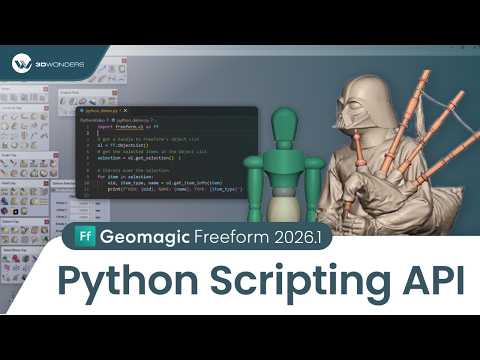
Automate Your 3D Workflow! Python Scripting in Geomagic Freeform 2026.1
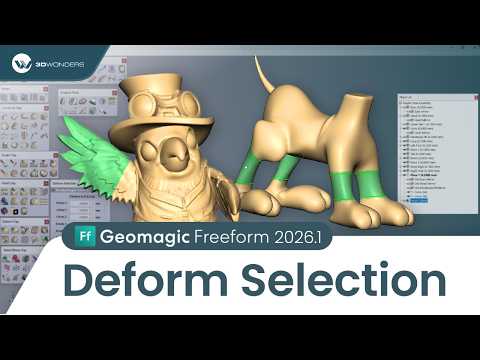
Easily Pose, Stretch & Realign 3D Scans! Deform Selection in Freeform 2026.1
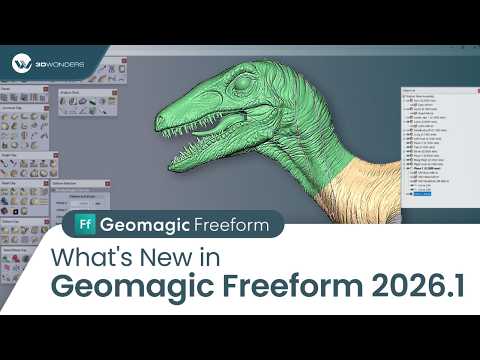
Geomagic Freeform 2026.1 Update: Python Scripting, New Mesh Tools & Subscription Pricing!

Why Hybrid Sculpt Modeling Matters

Traditional CAD software is optimized for mechanical parts defined by dimensions and feature trees. However, these systems often struggle when handling organic forms or dense scan meshes.

Geomagic Freeform Education addresses these design and manufacturing challenges by combining sculpting tools with CAD ready modeling capabilities. Students learn to create organic solids defined by explicit dimensions while keeping the flexibility of sculpting.

Traditional CAD Hybrid Sculpt Modeling
Parametric features Freeform sculpting
Clean geometry Raw scan meshes
Mechanical parts Organic surfaces

Geomagic Software Training

3D Wonders offers live online training for Geomagic software, including Design X, Control X, and Geomagic Freeform. These sessions help engineers and designers learn the key workflows used in scan-to-CAD modeling, inspection, and organic design.

Training is delivered by experienced specialists and focuses on practical techniques for working with 3D scan data, CAD reconstruction, and digital modeling.

Available topics include:

• Reverse engineering with Geomagic Design X
• Inspection and GD&T analysis with Geomagic Control X
• Organic modeling with Geomagic Freeform

Our online training sessions can be organized for individuals or teams and adapted to your workflow and experience level.

Request Training Information

Prepare students for design and engineering careers with industry standard organic modeling tools.

  • Build Industry Ready Skills

    Students gain hands on experience sculpting organic forms, editing scan data, and preparing models for manufacturing, using the same workflows found in product design and medical device teams.

  • One Tool Across Multiple Programs

    A single software platform supports coursework in industrial design, engineering, biomedical, and digital art programs, helping departments share lab resources.

1 of 2

Computer Requirements

Category Minimum Requirements Recommended Workstation
Operating System Windows 10 (64-bit) or Windows 11 Windows 11
Processor (CPU) Intel or AMD 64-bit processor Intel Core i7/i9 (13th gen or newer) or AMD Ryzen 7/9 (5000 series or newer)
Memory (RAM) 8 GB 32 GB or more
Graphics (GPU) NVIDIA GPU with OpenGL 4.0 support and 2 GB VRAM NVIDIA workstation GPU
Storage 30 GB free disk space SSD with 512 GB or larger

Function Features Comparison

Key Product Feature Freeform Freeform +
Voxel-based modeling ✓ ✓
Mesh conversion and boolean support ✓ ✓
SubD surfacing, modeling ✓ ✓
StructureFX – LayerFX, CageFX, SurfaceFX ✓ ✓
Manual patterning of pieces onto surfaces or in free-space ✓ ✓
Automatic surfacing of clay or polygon models for export as NURBS surfaces ✓ ✓
3D printability analysis ✓ ✓
Integration with 3D Sprint ✓ ✓
Independent clay file viewer ✓ ✓
2D Sketch tools, including Outlined Text ✓ ✓
Export of Orthographic or Turntable Modes (bmp, jpg, or png with transparency option) ✓ ✓
3D import of polygon and CAD neutral formats (.stl, .obj, .ply, .xml, .zpr, .iges, .stp, .step) ✓ ✓
SubD surface texturing ✓ ✓
StructureFX – CellularFX (Lattices) ✓ ✓
Bend and twist tools ✓ ✓
Cage and lattice deform ✓ ✓
2D Slicer tool for part analysis as well as extraction of sets of offset images and profiles ✓ ✓
Shell Cut creates new surface following layer of profile cut objects ✓ ✓
Conversion of SubD to NURBS ✓
Batching and background processing of reduce and export ✓
Wrap for Freeform ✓
CAD solids and surface tools ✓
Complex draft analysis and correction ✓
Automated mold parting line function ✓
Mold parting surface extrusion from parting line curves ✓
3D import of CAD native formats (.x_b, .x_t, .sldprt) ✓

Start Equipping Your Students Today

Give your institution a complete organic modeling toolkit that builds practical skills in digital sculpting, scan data editing, and design for manufacturing.

 Compliance and Non-Commercial Policy 

Geomagic Freeform Education Licenses are strictly for teaching and research, not commercial production or profit-generating work.Files exported under academic terms may include educational watermarks, ensuring compliance with the EULA and protecting institutional IP integrity.

Frequently Asked Questions

Looking for something specific? Let us know, and we’ll be happy to assist you.

Who is eligible to purchase Geomagic Freeform Education?

Educational licenses are available to schools and academic institutions. 

What are the usage restrictions?

Education licenses are for teaching and non-commercial research only. They cannot be used for commercial production or profit generating work. 

Does the education version have fewer features than the commercial version?

Pair text with an image to focus on your chosen product, collection, or blog post. Add details on availability, style, or even provide a review.

What is the difference between Freeform Education and Freeform Plus Education?

Freeform Education covers digital clay sculpting, SubD modeling, StructureFX lattices, automatic NURBS surfacing, and 3D print analysis. Freeform Plus Education adds CAD solids and surface tools, SubD to NURBS conversion, mold design tools, native CAD import, DICOM import, and task automation.

Does Geomagic Freeform Education require a haptic device?

Yes. Geomagic Freeform products work exclusively with the 3D Systems Touch haptic device, which is included with the software.

What file formats does Geomagic Freeform Education support?

Both versions import STL, OBJ, PLY, XML, ZPR, IGES, STP, and STEP, and export volumetric data as 3MF and image stacks. Freeform Plus Education also imports native CAD formats (X_B, X_T, SLDPRT) and volumetric data

How do I know which license model fits my institution?

Contact our team with your program size, number of lab seats, and coursework focus, and we’ll recommend the best option.