

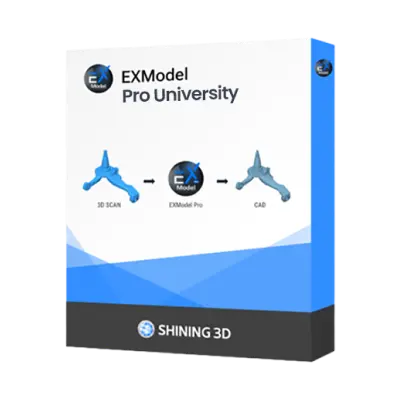
What is EXModel Pro University?
-

Why Educators & Researchers Choose EXModel Pro University
Get a Free DemoEducators choose EXModel Pro University because it delivers professional-grade reverse engineering tools without the commercial price tag. It is seamlessly integrated with SHINING 3D scanning software , making the transition from physical scan to CAD design intuitive and easy for students to master.
-

Empowering Classrooms & Labs with 3D Metrology
Request a Free TrialEXModel Pro University allows students to transition smoothly from theoretical concepts to hands on practice. By importing actual 3D scan data, students can execute mesh editing , constrained 2D sketching , and hybrid modeling to reconstruct digital CAD models, bridging the gap between physical objects and modern digital design.


Typical Academic Workflow Using EXModel Pro University

See How Academic Institutions Use This in the Classroom
-

Industrial Design & Digital Arts
Students capture real-world objects with handheld 3D scanners to create detailed 3D assets for reverse engineering and digital modeling.
-

Marine & Mechanical Engineering
Students 3D scan heavy industrial components, like propellers, to reverse engineer legacy parts into editable CAD models.
-

Biomedical Engineering
Students reverse engineer organic 3D scans into smooth, anatomical CAD models to design custom prosthetics and wearable devices.


See EXModel in Real Design Workflows
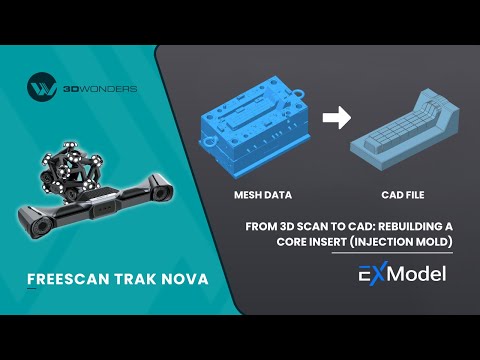
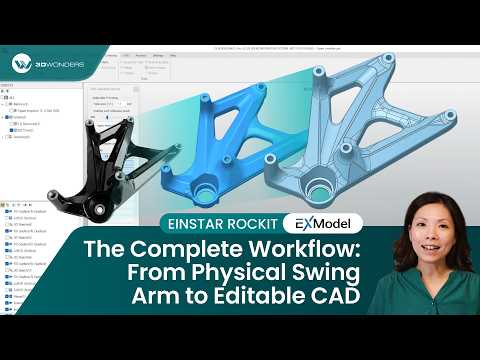

As an authorized Gold Reseller of Shining 3D. 3D Wonders provides licensed software, expert onboarding, and dedicated customer support—ensuring you get the most from every update.
Computer Requirements
| Category | Requirements |
|---|---|
| Operating System | Windows 10 (64-bit) or Windows 11 |
| Processor (CPU) | Intel i5 or higher (or its equivalent of another CPU manufacturer) |
| Memory (RAM) | 16 GB |
| Graphics (GPU) | Dedicated graphics card – nVidia or AMD |
| Storage | 256 GB |
Start Equipping Your Students Today
Eligibility
Usage Restrictions
Frequently Asked Questions
Looking for something specific? Let us know, and we’ll be happy to assist you.
It is available to universities, colleges, schools, technical institutes, research institutions, educators, and students with institutional verification.
The software is restricted to educational, teaching, and academic research only. No commercial or industrial use is allowed, and files generated must not be used for paid production work.
No, it delivers the exact same full functionality as the commercial EXModel Pro version.
Absolutely. It features one-click auto-surfacing and manual free-form modeling using snap-to-mesh technology for complex, organic shapes.
You can contact 3D Wonders to discuss your setup, class size, and deployment needs, and we will recommend the most suitable license option