Skip to product information
1 of 1

PolyWorks Inspector

PolyWorks Inspector

Regular price $1,900.00 USD
Regular price Sale price $1,900.00 USD
Sale Sold out
Shipping calculated at checkout.
License package
License Type

PolyWorks Inspector is a universal 3D dimensional analysis and quality control software platform. It empowers organizations to standardize all portable and CNC measurement devices onto a single solution, allowing you to diagnose manufacturing issues, control part dimensions, and automate enterprise wide quality control workflows effortlessly.

Core difference:

  • PolyWorks Inspector Standard: Universal portable metrology inspection.

  • PolyWorks Inspector Premium: Complete portable and CNC CMM inspection.

View full details

What is PolyWorks Inspector?

PolyWorks Inspector is a powerful industrial 3D metrology software designed to control tool or part dimensions, prevent assembly issues, and oversee the quality of assembled products. Acting as a universal digitizing hub, it allows you to interface with all 3D measurement devices including portable metrology scanners and CNC CMMs (using direct hardware plug-ins). It provides a complete dimensional analysis toolbox, featuring smart GD&T, 3D color maps, and automated reporting to facilitate seamless digital collaboration across your enterprise.

  • Why Users Choose PolyWorks Inspector for 3D Inspection

    Users choose it because it drastically reduces operational costs by eliminating metrology silos. With just one universal software platform to master, teams can boost employee mobility and teamwork efficiency while interfacing with any brand of 3D measurement device.

    Get a Free Demo
  • 3D Quality Control & Inspection with PolyWorks Inspector

    Gain control of your product engineering and manufacturing process by extracting measured dimensions from point clouds or probed points. You can evaluate advanced dimensions using a smart GD&T engine and analyze measured-to-nominal deviations instantly through intuitive color maps.

    Request a Free Trial

Typical Workflow Using PolyWorks Inspector

A typical inspection workflow using PolyWorks Inspector includes the following steps:

  1. Acquire data by interfacing with any point cloud scanner or single-point probing device through the universal hub.
  2. Best-fit measured surfaces and cross-sections to their nominal CAD definitions to ensure accurate alignment.
  3. Evaluate part accuracy using the smart GD&T engine, SPC statistics, and deviation color maps.
  4. Publish AS9102 and PPAP compliant First Article Inspection Reports automatically to Excel using PolyWorks ReportLoop.

PolyWorks Inspector delivers a universal 3D metrology workflow to execute all your inspection tasks efficiently.

  • Universal Digitizing Hub

    Interface with all 3D measurement devices, operating portable probes and point cloud scanning devices through direct hardware plug-ins.

  • Smart GD&T Engine

    Measure dimensions using an intelligent engine based on the latest ASME and ISO standards, fully equipped with advanced material condition and datum modifier capabilities.

  • Deviation Analysis Color Maps

    Obtain surface, cross-sectional, boundary, or thickness measured-to-nominal deviations and visualize them instantly using highly intuitive 3D color maps.

  • Play Inspection Automation

    Automate your measurement workflows and multipiece data management effortlessly using the powerful Play Inspection and Sequence Editor tools.

  • Statistical Process Control (SPC)

    Assess the repeatability and predictability of your manufacturing processes with automatically calculated multipiece statistics for object dimensions.

  • High-Productivity CNC CMM Solution

    Accelerate your CNC CMM programming by letting the sequence editor automatically find collision-free measurement paths and optimal measurement orders (Premium only).

1 of 6
  • PolyWorks Inspector Standard

    Comprehensive dimensional analysis tailored for portable metrology devices.

    What it includes:

    Single-point measuring and point cloud digitizing for portable metrology devices, smart GD&T, repeatable multipiece workflows, and SPC toolsets

    Best for:

    Projects requiring flexible shop-floor quality control, manual first-article inspection, and measuring large assemblies, fixtures, or tooling directly in place using portable devices.

  • PolyWorks Inspector Premium

    Enterprise solution unifying portable metrology and CNC CMM workflows.

    What it includes:

    Everything in Standard, plus dedicated single-point measuring and point cloud digitizing plug-ins for CNC CMMs.

    Best for:

    High throughput production environments, automated quality control runs on precision machined parts, and complex inspection workflows that combine manual portable scanning with automated CNC CMM routines.

1 of 2
  • Industrial & Manufacturing

    Standardize metrology operations across heavy industry facilities to control tool dimensions, guide assembly, and prevent manufacturing issues.

  • Architecture, Engineering & Construction

    Scan large structures using spherical digitizers to minimize rework time when simulating massive civil engineering assemblies

  • Automotive & Aerospace

    Measure complex turbine blades using specialized airfoil gauging and publish AS9102-compliant reports for civil aviation parts.

1 of 3

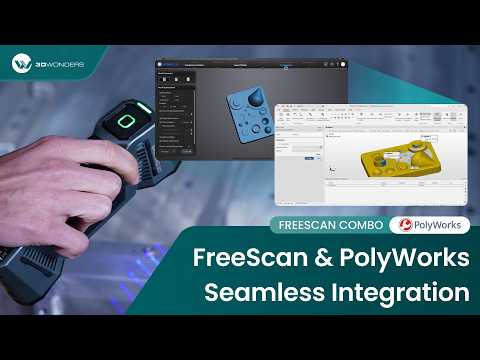
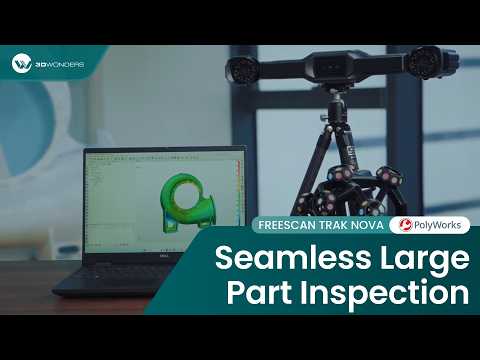
See Geomagic Freeform in Real Design Workflows

Video 1
Video 2

As an authorized Polyworks Reseller. 3D Wonders provides licensed software, expert onboarding, and dedicated customer support—ensuring you get the most from every update.

Dramatically reduce operational costs by mastering just one universal software.

  • One Platform for Every Device

    Replace fragmented software with a single company-wide solution that works with any brand of scanner or CMM, boosting team efficiency and simplifying training. 

  • Prevent Assembly Issues

    Accurately track part locations and guide assembly building through real time measurements, avoiding costly rework.

1 of 2

Computer Requirements

Category Requirements
Operating System Windows 11 Pro, Windows 10 Pro (64-bit) version 22H2
Processor (CPU) x64 high-performance processor (e.g., comparable to Intel Core i7 or superior)
Memory (RAM) 32 GB or more
Graphics (GPU) Professional NVIDIA RTX/Quadro series equipped with at least 2 GB memory
Storage Recommended adequate storage for large CAD models

Function Features Comparison

Key Product Feature Standard Premium
Point Cloud Digitizing for Portable Metrology
Smart GD&T & Dimensional Control Toolset
Statistical Process Control (SPC)
IGES/STEP Neutral CAD Import
Single-Point Measuring for CNC CMMs
Point Cloud Digitizing for CNC CMMs

Start Using PolyWorks Inspector

Gain complete control of your manufacturing process and eliminate software silos with the world's leading universal 3D metrology platform.

Frequently Asked Questions

Looking for something specific? Let us know, and we’ll be happy to assist you.

What makes PolyWorks Inspector a "universal" platform?

It acts as a universal digitizing hub, interfacing seamlessly with all 3D measurement devices, including portable scanners, probing arms, and CNC CMMs.

Can I use it with my existing CNC CMM?

Yes, the Premium version connects to major brands of CNC CMMs through direct drivers or the I++ protocol.

Does it support ASME and ISO standards?

 Absolutely. It features a smart GD&T engine based on the latest ASME and ISO standards, including material conditions and datum modifiers.

Can I generate First Article Inspection Reports? 

Yes, you can quickly publish AS9102 and PPAP-compliant First Article Inspection Reports by transferring results automatically to Excel.

Does it offer real-time scanning feedback?

Yes, it uses real-time quality meshing to display quality metrics, ensuring you capture sufficient scanned data for reliable feature extraction.

What is the Play Inspection tool? 

It is a powerful tool used to automate measurement workflows and multipiece inspections by ordering and triggering specific metrology operations.

Does PolyWorks Inspector support Statistical Process Control?

Yes, it includes a Statistical Process Control (SPC) toolset to assess the repeatability and predictability of your manufacturing processes.

What operating system is required? 

You must use 64-bit Windows 11 Pro, Windows 10 Pro version 22H2, or an equivalent Windows Enterprise version.

Are gaming graphics cards supported? 

No, GeForce RTX and other gaming-oriented cards are not supported. A professional NVIDIA RTX or Quadro series card is required.

Does the Standard package support CNC CMMs?

No, the Standard package is designed for portable metrology. You need the Premium package to operate CNC CMMs.