Skip to product information
1 of 1

Geomagic Wrap

Geomagic Wrap

Regular price $3,332.00 USD
Regular price Sale price $3,332.00 USD
Sale Sold out
Shipping calculated at checkout.
License Duration

Geomagic Wrap is a 3D scan processing and surfacing software that turns point clouds, probe data, and imported 3D files into clean polygon meshes and NURBS surface models. Use the results directly for 3D printing, milling, archiving, visualization, or as surface data in your CAD software.

Core Strengths:

  • Scan: Capture data directly from supported scanners or import raw scan files
  • Mesh: Build and repair watertight polygon models
  • Surface: Fit NURBS surfaces with Auto and Exact Surfacing
View full details

What is Geomagic Wrap?

Geomagic Wrap is a 3D scanning and surfacing software developed by Hexagon. It gives engineers, designers, and digital artists a complete toolbox to process point clouds, construct and repair polygon meshes, and generate NURBS surface models from real world objects.

With support for a wide range of 3D scanners and 3D file formats, Geomagic Wrap fits into existing workflows for manufacturing, product design, heritage preservation, and entertainment, delivering 3D data that is ready for immediate use downstream.

  • Why Engineers Use Geomagic Wrap for Scan Processing 

    Raw scan data is rarely ready to use as captured. Engineers and designers use Geomagic Wrap to handle:

    • Large, dense point clouds from 3D scanners
    • Meshes with holes, gaps, and topology errors
    • Organic shapes that need accurate NURBS surfaces
    • Colored scans that need clean texture maps
    • Repetitive processing tasks that benefit from automation
    Get a Free Demo
  •  From Point Cloud to Usable 3D Model

    Every scan project starts with millions of points. Geomagic Wrap cleans and organizes that data, builds a watertight mesh, and fits precise surfaces over it, so the model can go straight to a 3D printer, CNC machine, render engine, or CAD system.

    Request a Free Trial
1 of 2

Typical Workflow Using Geomagic Wrap

A typical workflow using Geomagic Wrap includes the following steps:

  1. Capture real world data with a 3D scanner or probe, or import existing scan files.
  2. Clean and refine the point cloud data.
  3. Construct a polygon mesh and repair holes, gaps, and defects.
  4. Fit NURBS surfaces using Auto or Exact Surfacing.
  5. Export the model for 3D printing, CNC machining, rendering, or CAD.

This workflow helps teams turn raw scan data into accurate 3D models in less time.

  • Device Integration & Data Import 

    • Drive supported 3D scanners directly inside Geomagic Wrap
    • Work with raw scan data from a wide range of devices
    • Handle ordered and unordered point data, including XYZ and ASCII formats
  •  Point Cloud Processing 

    • Handle and refine large point cloud and mesh data sets
    • Clean up scan data quickly with automated tools
    • Import LiDAR data in LAS, LAZ, and E57 formats
  •  Mesh Construction & Repair

    • Build watertight meshes with HD Mesh Construction
    • Fill holes, smooth, and patch polygon models
    • Create a single clean mesh from complex geometry with Shrink Wrapping
  •  Auto & Exact Surfacing 

    • Fit freeform NURBS surfaces onto a mesh automatically
    • Control patch layout, surface quality, and continuity with Exact Surfacing
    • Extract curves and hard features from polygon models
  •  Analysis & Deviation Tools

    • Compare objects with 3D and 2D deviation analysis
    • Adjust meshes to compensate for shrinkage or expansion in manufacturing
    • Export results tables directly to Excel
  •  Scripting & Automation

    • Automate repetitive tasks with the Python Scripting API
    • Use macros to speed up everyday workflows
    • Customize processing for unique applications
1 of 6
  • Automotive & Aerospace 

    Engineering teams scan complex components and body panels, fit precise NURBS surfaces, and transfer surface models into their CAD software for redesign and analysis.

  • Industrial & Manufacturing 

    Manufacturers scan worn or legacy parts, tools, and molds with no existing CAD data, repair the mesh, and rebuild accurate NURBS surfaces for remanufacturing and replacement parts.

  • Product Design & Creative

    Designers, artists, and museums digitize sculptures, artifacts, and consumer products, creating clean meshes with texture maps for 3D printed replicas, animation, and archiving.

  • Healthcare & Medical

    Medical device teams scan anatomy and devices, repair the mesh data, and prepare watertight models for 3D printed prototypes and custom fit designs.

1 of 4

See Geomagic Wrap in Real Design Workflows
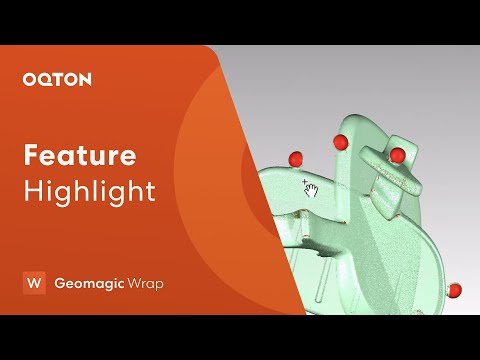
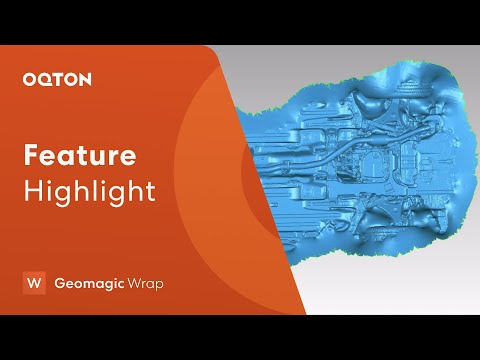
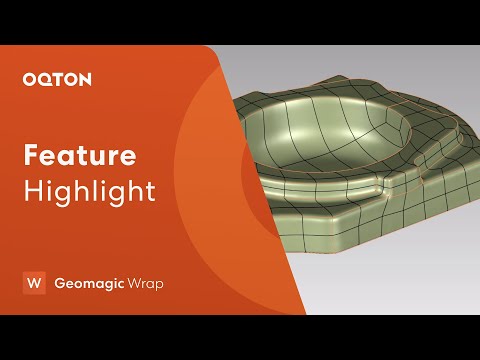
Geomagic Wrap tutorial video
Geomagic Wrap workflow video
Geomagic Wrap application video

Computer Requirements

Category Minimum Requirements Recommended Workstation
Operating System Windows 10 64-bit or later Windows 11 64-bit
Processor (CPU) Intel or AMD 64-bit processor Intel Core i7/i9 (13th gen or newer) or AMD Ryzen 7/9 (5000 series or newer)
Memory (RAM) 8 GB 32 GB or more
Graphics (GPU) NVIDIA GPU with OpenGL 4.0 support and 2 GB VRAM NVIDIA RTX series with 4 GB VRAM or more
Storage 30 GB free disk space SSD with 512 GB or larger

Geomagic Wrap Features

Feature What It Includes
Scanner Device Support Drive supported 3D scanners and probes directly inside Geomagic Wrap. Supports all 3D digitizers, cameras, and scanners in XYZ/ASCII format, and handles ordered and unordered surface and volume data.
Point Cloud Processing Edit and refine large point cloud data sets, with automated tools for rapid point cloud cleanup and sampling.
Mesh Construction Create polygon models from point clouds with HD Mesh Construction, designed for patchy and long range data. Shrink Wrapping builds a single watertight mesh from the external faces of one or more meshes and removes internal structures.
Polygon Editing & Repair Fill holes, smooth, patch, decimate, and remesh polygon models. Mesh Doctor detects and repairs defects such as spikes, self intersections, non-manifold edges, and degenerate triangles.
Surfacing Convert polygon models to NURBS with Auto Surfacing, or use Exact Surfacing for full control over patch layout, surface quality, and continuity. Surface checking tools help verify results.
Curves & Feature Extraction Extract curves and hard features from polygon bodies for design from scan data applications. Save section curves as SVG files for graphic applications.
Analysis & Deviation Run 3D Compare and 2D Compare to visualize deviations between test and reference objects, add annotations, and use Compensate Deviation to adjust meshes for shrinkage or expansion. Export results tables directly to Excel.
Color & Texture Edit and manage color data from 3D scans and save it as texture maps for color 3D prints, with texture manipulation tools for custom texture groupings.
Scripting & Automation Automate workflows with the Python Scripting API and script editor, and use macros for repetitive tasks.
Import 3DS, OBJ, DXF, PLY, STL, LWO, VRML, WRP, VTX, ASC, IGES, STEP, Parasolid, Pro/ENGINEER, SAT, E57, LAS, LAZ
Export WRP, IGES, X_T, SAT, PRC, STEP, VDA, NEU, 3DS, DXF, OOGL, IV, PLY (including colored point clouds), STL, WRL, OBJ, 3MF, E57. Transform matrices export in TRM format, compatible with Geomagic Design X and Geomagic Control X.

Start Using Geomagic Wrap

If your workflow starts with 3D scan data, Geomagic Wrap gives you a fast path from raw point clouds to clean meshes and precise surface models.

Frequently Asked Questions

Looking for something specific? Let us know, and we’ll be happy to assist you.

What is Geomagic Wrap used for?

Geomagic Wrap transforms point cloud data, probe data, and imported 3D files into polygon meshes and NURBS surface models for manufacturing, engineering, design, art, entertainment, and archaeology.

What is the difference between Geomagic Wrap and Geomagic Design X?

Geomagic Wrap focuses on scan processing, mesh repair, and freeform surfacing. Geomagic Design X builds editable, feature based solid CAD models with history trees that transfer into major CAD software. Choose Wrap for organic shapes and mesh or surface output, and Design X for parametric mechanical parts.

Does Geomagic Wrap work with my 3D scanner?

Geomagic Wrap can drive supported scanners directly and works with raw scan data from a wide range of devices. It also imports common formats such as STL, OBJ, PLY, ASC, and E57. Contact us to confirm support for your specific scanner.

Can Geomagic Wrap convert scan data into CAD?

Yes. Wrap fits NURBS surfaces onto meshes and exports them in neutral CAD formats such as STEP, IGES, and X_T for use in your CAD software. For fully parametric solid models with feature trees, Geomagic Design X is the better fit.

What file formats does Geomagic Wrap support?

Wrap imports and exports a wide range of mesh, point cloud, and CAD formats, including STL, OBJ, PLY, STEP, IGES, E57, and 3MF. See the full list in the Import / Export section above.

Can I automate tasks in Geomagic Wrap?

Yes. Wrap includes a Python Scripting API and macros to automate repetitive processing steps and build custom workflows.

Is there a free trial?

Yes. The developer offers a 15 day trial license for evaluating Geomagic Wrap.