Skip to product information
1 of 3

Geomagic for SOLIDWORKS

Geomagic for SOLIDWORKS

Regular price $2,739.00 USD
Regular price Sale price $2,739.00 USD
Sale Sold out
Shipping calculated at checkout.
License Type

Geomagic for SOLIDWORKS is a complete, industry leading scan-to-SOLIDWORKS software solution. It provides a highly efficient, straightforward path from point cloud to complete CAD design file, allowing you to scan straight into your familiar design environment and rebuild usable CAD simply and accurately.

View full details

What is Geomagic for SOLIDWORKS?

Geomagic for SOLIDWORKS is a professional reverse engineering add-in that seamlessly integrates directly inside your SOLIDWORKS environment. It brings the power of 3D scan-based inspection and modeling to your desktop, providing straightforward, expert handling and refinement of huge mesh and point cloud data sets. 

By combining direct scanner device integration, real-time deviation analysis, and automatic surfacing tools, it offers a streamlined path to transform raw 3D scans into complete, editable CAD design files without ever leaving your favorite CAD software.

  • Why User Use Geomagic for SOLIDWORKS for Reverse Engineering

    Users choose Geomagic for SOLIDWORKS because it offers a straightforward path from point cloud to a complete CAD design file. It eliminates the need to learn new standalone software by allowing engineers to scan, process, and rebuild usable CAD directly inside their existing SOLIDWORKS environment.

    Get a Free Demo
  • Reverse Engineering with Geomagic for SOLIDWORKS

    Reverse engineering with Geomagic for SOLIDWORKS is incredibly simple. You can import data or scan directly into SOLIDWORKS using most 3D scanners, expertly handle huge mesh data sets, and apply automatic surfacing tools to quickly rebuild accurate, usable CAD geometry.

    Request a Free Trial
1 of 2

Typical Workflow Using Geomagic for SOLIDWORKS

A typical design workflow using Geomagic for SOLIDWORKS includes the following steps:

  1. Import point cloud data or scan directly into SOLIDWORKS using integrated 3D scanner hardware.
  2. Perform straightforward, expert handling and refinement of the huge mesh and point cloud data sets.
  3. Rebuild usable CAD utilizing automatic surfacing tools for fitting accurate surfaces to your mesh.
  4. Verify your design using real-time Deviation Analysis to directly compare your 3D model to the scan data.

Geomagic for SOLIDWORKS provides a straightforward path to transform point clouds into complete CAD design files entirely within your familiar CAD environment.

  • Device Integration

    Import scan data directly into SOLIDWORKS with most 3D scanners available on the market today.

  • Mesh and Point Cloud Processing

    Experience straightforward, expert handling and refinement of huge mesh and point cloud data sets without leaving your CAD window.

  • Real Time Analysis

    Use built-in Deviation Analysis to directly compare your extracted 3D model to the original scan data for perfect accuracy.

  • Automatic Surfacing

    Utilize advanced automatic surfacing tools for fitting highly accurate surfaces directly to your organic or complex mesh.

  • Direct SOLIDWORKS Integration

    Execute a straightforward path from point cloud to a complete CAD design file, entirely inside of your SOLIDWORKS environment.

  • Advanced Inspection Capabilities

    Bring the power of 3D scan-based inspection to more people in more places, verifying parts seamlessly on your desktop.

1 of 6
  • Industrial & Manufacturing

    Engineers reverse engineer worn industrial molds and complex machinery components by processing high density scan data directly inside their familiar CAD environment to ensure perfect compatibility with downstream CNC machining processes.

  • Automotive & Aerospace

    Designers and engineers utilize integrated deviation analysis to rapidly retrofit vehicles or perfectly fit new custom performance accessories against existing chassis and component scan data, streamlining complex design workflows.

  • Healthcare & Medical

    Medical device designers apply advanced automatic surfacing tools to complex, organic anatomical scans, enabling the development of custom fitted prosthetic devices and high precision implants tailored to unique patient needs.

1 of 3

See Geomagic for SOLIDWORKS in Real Design Workflows
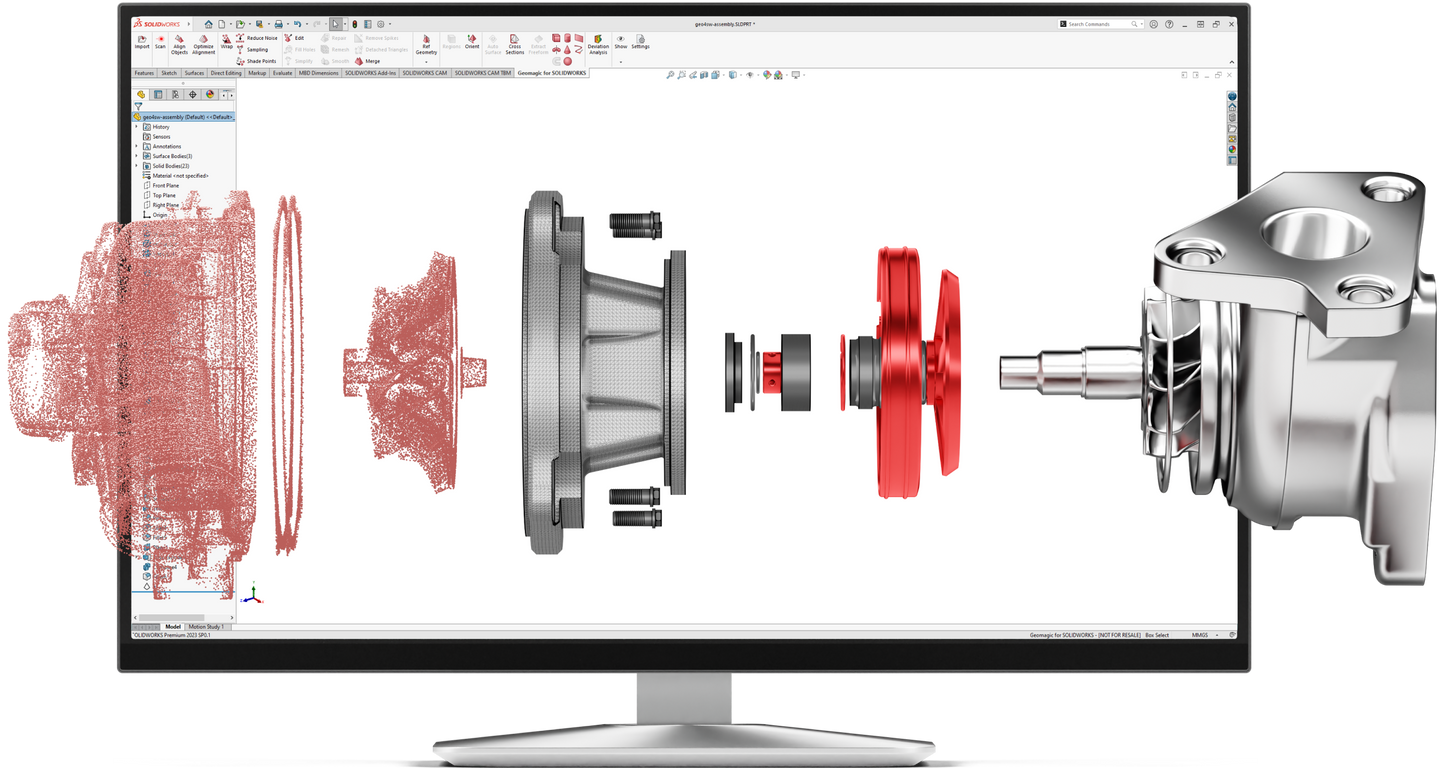
Minimize design time with a straightforward path from point cloud to complete CAD design.

  • Accelerated Design Cycles

    Scan straight into SOLIDWORKS and apply automatic surfacing to bypass hours of manual CAD reconstruction.

  • Guaranteed Accuracy

    Use real-time deviation analysis to instantly compare your 3D model against the original scan data before production.

1 of 2

Computer Requirements

Category Requirements
Operating System Windows 10/11 (64-bit) (Requires compatible SOLIDWORKS version)
Processor (CPU) Intel Core i7 or equivalent (Recommended for SOLIDWORKS)
Memory (RAM) 16 GB minimum (32 GB or more highly recommended for huge mesh data sets)
Graphics (GPU) SOLIDWORKS certified professional graphics card
Storage 512 GB SSD or larger recommended

Geomagic for SOLIDWORKS Features

Color Scanning and File Import
Directly scan point color information with supported scanners
Import scan data file formats with vertex colors or texture mapping
Point Cloud Processing
Fast, automated processing
Polygonal Surface Creation
Mesh construction from point cloud or merging of multiple meshes
Polygon Processing Tools
Decimation
Noise reduction
Smoothing
Hole filling
Powerful Alignment Tools
Probe device alignment
Align your mesh to the World Coordinate System
Picked point alignment for multiple scan data sets
Automatic Surfacing
Automatic conversion of both organic and geometric objects to CAD solid
Mesh and Point Cloud Cross Sectioning
Automatic curve and sketch creations
Intuitive Smart Selection Tools from Scan Data
Extrude
Freeform surface
Revolve
Primitive feature fitting
Sweep and pipe
Intuitive Smart Selection Tools for Selecting Polygon Groups
Region
Box
Lasso
Polygon
Paint bucket
Region Grouping Tools for Detailed Mesh Segmentation
Pre-processing step for intelligent feature extraction
3D Comparison with Deviation Analysis
Compare any time between mesh and point cloud object and CAD object

Start Using Geomagic for SOLIDWORKS

Geomagic for SOLIDWORKS brings the power of 3D scan based inspection and modeling directly to your desktop, letting you rebuild usable CAD effortlessly.

Frequently Asked Questions

Looking for something specific? Let us know, and we’ll be happy to assist you.

Which SOLIDWORKS versions are compatible with Geomagic for SOLIDWORKS 2026?

Geomagic for SOLIDWORKS 2026 fully supports the current version (SOLIDWORKS 2026) as well as the three previous years' releases: 2025, 2024, and 2023.

What is Geomagic for SOLIDWORKS?

It is the only complete scan-to-SOLIDWORKS solution, offering a straightforward path from point cloud to complete CAD design inside your CAD environment.

Can I scan directly into SOLIDWORKS?

Yes, device integration allows you to import data or scan directly into SOLIDWORKS with most 3D scanners available on the market today.

Does the software handle large point clouds?

Absolutely. It features straightforward, expert handling and refinement of huge mesh and point cloud data sets without crashing your CAD software.

How can I check the accuracy of my CAD model?

You can use the built-in real-time Deviation Analysis tool to directly compare your newly reconstructed 3D model to the original scan data.

Are there automatic surfacing tools included?

Yes, it includes powerful automatic surfacing tools specifically designed for fitting accurate surfaces directly to your imported mesh data.

Do I need a standalone reverse engineering software?

No, it provides a straightforward path from point cloud to complete CAD design file directly inside of your SOLIDWORKS environment, eliminating standalone software.

What hardware is required to run the add-in?

You will need a system with hardware capable of running your compatible SOLIDWORKS version, preferably with 32GB+ of RAM for large mesh processing.

Is training available for Geomagic for SOLIDWORKS?

Yes, 3D Wonders offers customized live online training for individuals and teams to master scan-to-CAD workflows and practical mesh processing techniques.

How can I try the software?

You can easily request an evaluation or a free trial to see how quickly you can rebuild usable CAD straight into SOLIDWORKS.