Skip to product information
1 of 1

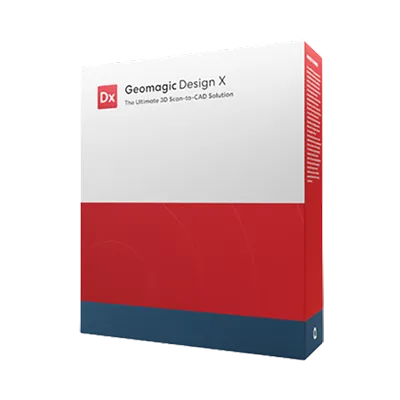
Geomagic Design X Education | Reverse Engineering Software

Geomagic Design X Education | Reverse Engineering Software

"Only schools are eligible to purchase educational licenses."

Regular price $6,297.00 USD
Regular price Sale price $6,297.00 USD
Sale Sold out
Shipping calculated at checkout.
Type

Geomagic Design X Education License brings advanced 3D scanning and reverse engineering capabilities into the classroom.Students and researchers can transform real-world 3D scan data into editable, parametric CAD models, bridging the gap between physical and digital design.

View full details

What is Geomagic Design X Education?

Geomagic Design X Education is an industry leading reverse engineering software built on over 20 years of innovation, transforming 3D scan data into precise, usable CAD models. 

Institutions receive the complete Geomagic Design X Pro feature set, providing the exact same tools used by engineers and manufacturers worldwide. It enables users to import scan data from any 3D scanner, utilize region segmentation, and seamlessly transfer feature based solid models and history trees directly into major CAD systems like SOLIDWORKS. 

  • Why Educators & Researchers Choose Geomagic Design X Education

    Educators choose this software to gain access to industry leading reverse engineering tools at cost effective educational pricing. It is perfect for teaching, labs, and academic research programs, accelerating learning by giving students hands on experience converting real world scans into CAD models with professional precision.

    Get a Free Demo
  • Empowering Classrooms & Labs with 3D Metrology

    Geomagic Design X Education empowers faculty and students to recreate complex components, analyze design intent, and experiment with product redesign. By generating accurate parametric CAD models directly from 3D scan data, students develop practical reverse engineering skills faster.

    Request a Free Trial
1 of 2

Typical Academic Workflow Using Geomagic Design X Education

A typical classroom or research workflow using Geomagic Design X Education includes the following steps:

  1. Points Cloud or Mesh: Begin with direct scanning or file import.
  2. Process Data: Clean and process the raw points cloud and mesh data.
  3. Water Tight Mesh: Prepare the mesh for direct manufacture or simulation.
  4. Design Intent: Perform feature extraction with built in accuracy analysis.
  5. Feature Based CAD Model: Export directly to major platforms like Creo, Autodesk Inventor, SOLIDWORKS, and NX.
  6. As Built Modelling: Apply automatic and exact surfacing.
  7. Highly Accurate CAD Conversion: Finalize the precise digital model.

Geomagic Design X Education enables students to bridge the gap between physical objects and digital design through an efficient scan-to-CAD workflow.

  • Full Professional Feature Access

    Includes the full Geomagic Design X Pro feature set — identical to commercial licenses — supporting complete 3D scan data processing and reverse engineering workflows.

  • Flexible Academic Licensing Options

    Choose between Network (floating) or Perpetual licenses to match classroom or faculty lab deployment needs.

  • Live Transfer to SOLIDWORKS

    Transfer full feature-based solid models and history trees directly inside SOLIDWORKS, maintaining compatibility with your existing CAD software.

  • Region Segmentation & Auto Sketching

    Automatically identify geometric regions and generate editable CAD sketches to accelerate the reverse engineering process.

  • Surface Fitting & Parametric Modeling

    Build smooth NURBS surfaces and precise parametric CAD features using professional-grade surfacing tools for advanced product design.

  • Deviation Analysis

    Validate accuracy in real time by comparing reconstructed CAD models with original 3D scan data, ensuring true design intent.

1 of 6
  • Automotive Engineering

    Students apply advanced surfacing techniques to 3D scan data to reverse engineer and optimize motorsport body panels.

  • Mechanical Engineering

    Students gain hands-on experience in university CAD labs converting complex 3D scan data into native parametric models.

  • Industrial Design

    Students utilize auto surfacing tools to transform 3D scans of consumer products into smooth, manufacturable CAD models.

1 of 3

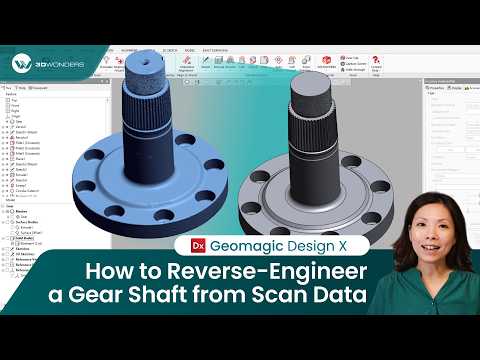
See Geomagic Design X in Real Design Workflows
Geomagic Software Training

3D Wonders offers live online training for Geomagic software, including Design X, Control X, and Geomagic Freeform. These sessions help engineers and designers learn the key workflows used in scan-to-CAD modeling, inspection, and organic design.

Training is delivered by experienced specialists and focuses on practical techniques for working with 3D scan data, CAD reconstruction, and digital modeling.

Available topics include:

• Reverse engineering with Geomagic Design X
• Inspection and GD&T analysis with Geomagic Control X
• Organic modeling with Geomagic Freeform

Our online training sessions can be organized for individuals or teams and adapted to your workflow and experience level.

Request Training Information

Elevate your engineering and design programs with accessible, industry standard technology.

  • Increase Graduate Employability

    Give students hands-on experience converting real world 3D scans into editable CAD models with professional precision, developing practical skills faster.

  • Maximize Lab Budgets

    Choose from cost effective Institutional Volume Licensing, Individual Educational Seats, or affordable Student Editions to equip your programs.

1 of 2

Computer Requirements

Category Minimum Requirements Recommended Workstation
Operating System Windows 10 (64-bit) or Windows 11 Windows 11
Processor (CPU) Intel or AMD 64-bit processor Intel Core i7/i9 (13th gen or newer) or AMD Ryzen 7/9 (5000 series or newer)
Memory (RAM) 8 GB 32 GB or more
Graphics (GPU) NVIDIA GPU with OpenGL 4.0 support and 2 GB VRAM NVIDIA RTX series with 4 GB VRAM or more
Storage 30 GB free disk space SSD with 512 GB or larger

Geomagic Design X Education Features

SCANNER DEVICE SUPPORT
Scanner Interfaces
Scanner Plugins & Probing
IMPORT/EXPORT
Import/Export Standard Mesh, Points, DXF, CAD Formats & Scan Formats
Import/Export Native CAD Formats
SELECTION
Basic Selection Tools
Advanced Selection Tools
SCAN EDITING & REPAIRING
Mesh Repairing & Editing
Point Cloud Repairing
Advanced Mesh Editing & Wizards
Advanced Point Cloud Editing
Roll/Unroll Scan
Texturing
ALIGNMENT
Manual Alignment
Automatic Alignment based on Auto Guess, Global & Fine Alignment
Advanced Alignment Tools & Wizard
REGIONS
Manual Region Creation & Editing
Automatic Regions
SOLID & SURFACE MODELING
Reference Geometry
2D Mesh Sketch
2D Sketching
Basic Solid & Surface Modeling
Basic 3D Sketching
Solid & Surface Primitive Wizards
Advanced Solid & Surface Modeling & Editing
3D Mesh Sketch
3D Curves & Direct Editing Tools
Advanced 2D Sketching Tools
Advanced 3D Sketching & Editing
Auto-Sketch
Modeling Wizards
CAD Correct
SURFACING
Mesh Fit, Auto Surface without Selective Surfacing
Advanced Surfacing Tools, Auto Surface with Selective Surfacing
Exact Surfacing
MODEL ACCURACY CHECK
Deviation Analysis
Detailed Accuracy Analyzer
LIVE TRANSFER TO CAD SOFTWARE
Live Transfer to SolidWorks, NX, Creo, AutoCAD, Inventor
AUTOMATION
Deviation Analysis
Detailed Accuracy Analyzer

Start Equipping Your Students Today

Empower your academic institution with the ultimate 3D scan-to-CAD toolkit designed to foster practical, hands-on learning in reverse engineering.

Educational License Models

1. Institutional Volume Licensing — Classroom Elite Suite

Designed for large programs or multi-lab setups. Includes:

  • 20 Network Licenses for Design X and Control X
  • 3-Year Software Maintenance and training materials
  • Strictly for non-commercial academic use

2. Individual Educational Seats

Ideal for smaller faculties or dedicated research.

  • Full access to Pro Plan features
  • Available as perpetual or dongle-locked licenses
  • Long-term ownership with minimal renewal costs

3. Student Edition

Affordable learning version for training and coursework.

  • Valid for 2 years from build date
  • Limited model size and functionality
  • Designed exclusively for educational use

Compliance and Non-Commercial Policy

Geomagic Design X Education Licenses are strictly for teaching and research, not commercial production or profit-generating work.Files exported under academic terms may include educational watermarks, ensuring compliance with the EULA and protecting institutional IP integrity.

Frequently Asked Questions

Looking for something specific? Let us know, and we’ll be happy to assist you.

Who is eligible to purchase Geomagic Design X Education?

Only schools are eligible. It is perfect for teaching, labs, and academic research programs.

What are the usage restrictions?

It is strictly for teaching and research, not commercial production or profit-generating work.

Does it have fewer features than the commercial version?

No, institutions receive the complete Geomagic Design X Pro feature set.

Do you offer network licensing for computer labs?

Yes, the Institutional Volume Licensing (Classroom Elite Suite) includes 20 Network Licenses designed for large programs or multi-lab setups.

Is there an option for students to use it on their personal computers?

Yes, there is an affordable Student Edition valid for 2 years, providing a learning version for training and coursework.

Does it transfer history trees to my CAD software?

Yes, the LiveTransfer feature transfers full feature-based solid models and history trees directly to SOLIDWORKS.

How do I know which license model fits my institution?

Contact 3D Wonders to discuss your setup, class size, and deployment needs.