


Designed For
Best suited for
Beginners, makers, families, and students who want to scan straight from their phone, for 3D printing projects, collectibles, keepsakes, and classroom activities.
3D Wonders
INSTAR EZ GO pairs with your phone so you can scan anywhere, with no laptop needed. Blue laser and infrared modes handle everything from fine details to people, while AI tracking and marker-free scanning keep the process simple. Cloud 3DGS then turns your scans into lifelike color models ready to share or 3D print.


Designed For
Beginners, makers, families, and students who want to scan straight from their phone, for 3D printing projects, collectibles, keepsakes, and classroom activities.
Not Recommended For
You need metrology-grade accuracy for inspection or quality control, or a professional scanner for daily production and engineering work.

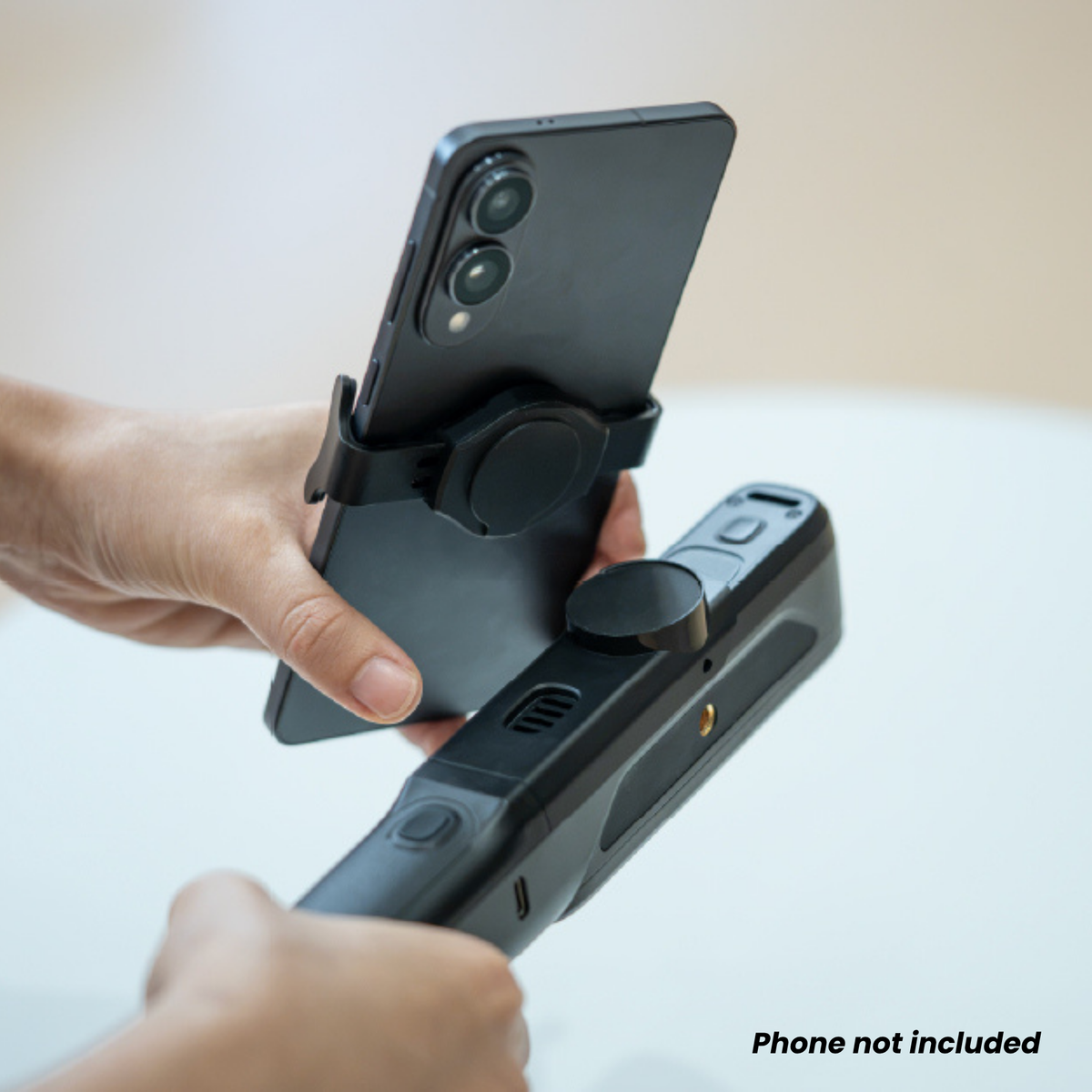
Pair EZ GO with your phone and scan wirelessly, with no laptop needed. At 288 g with its grip, it goes wherever you do.

AI separates your object from the background and keeps tracking steady, so scans come together with fewer interruptions.

Cloud 3D Gaussian Splatting turns your scans into lifelike color models, without needing a powerful computer.
Scan without markers in both laser and IR modes, cutting setup time on suitable objects.
A Class 1 laser and infrared light are safe for everyday use, with IR mode for scanning people and sculptures.
The battery grip powers up to 2 hours of scanning, indoors or outdoors.
See the full workflow in real conditions. Book a live demo with our experts and scan your parts.

Speak with a 3D scanning specialist about specifications, workflows, and integration goals.

Turn family keepsakes, collectibles, and artifacts into lasting 3D models you can store and share.

Scan an object, customize it, and print a replacement, repair, or your own version.

Give students of all ages hands-on 3D scanning, right from a phone or tablet.
No computer needed before you scan, built-in help while you scan, and a laser scanner light enough to take anywhere. Here is how easy your first 3D projects can be.
No Computer
EXStar Mobile app | iOS and Android
Pair the scanner with your phone once and it remembers the connection, so you can start scanning without a laptop.
Beginner Friendly
Laser scanning and AI tools handle the hard parts, so your first scans come out right with less trial and error.
Grab and Go
scanner and grip
together
max scanning
per charge
Blue laser | Outdoors up to 80,000 lux
A battery-powered grip holds the scanner and your phone, so you can scan indoors, outdoors and on the move.
Connect EZ GO to the EXStar Mobile app once, and it remembers the connection for next time.
Use laser for fine detail and dark or shiny surfaces, or IR for people, sculptures, and larger objects.
AI isolates your object from the background and keeps tracking steady as you move.
Create lifelike color models with cloud 3DGS, then share them or export to STL, OBJ, or 3MF.
Select scanners to compare key specifications side-by-side.
| Product |
Current Product:

Einstar EZ GO |
|||
|---|---|---|---|---|
| Price |
Ask a Quote
|
|||
| Object Size for Best Results | — | |||
| Accuracy up to | — | |||
| Resolution up to | 0.05 mm | |||
| Volumetric accuracy up to | — | |||
| Max FOV | 610 × 660 mm | |||
| Scan speed up to | 6,550,000 points/s | |||
| Light source | Blue Laser + IR VCSEL | |||
| Number of laser lines |
30 lines | High-speed 1 lines | Fine detail |
|||
| Color scanning | Yes | |||
| Wireless | Yes (Wi-Fi 6, pairs with phone) | |||
| Marker free | Yes |
Step 1 — Your Scanner

Step 2 — Add Software (Optional)
Select the software you want to add, then choose a license option. Your selections will appear in Your Bundle.


Full technical data for this scanner, plus the PC you’ll need to run it.
Swipe sideways to see all columns.
| Specification | Laser HD | IR Rapid |
|---|---|---|
| Accuracy & performance | ||
| Resolution | 0.05 mm ~ 10 mm | 0.2 mm ~ 10 mm |
| Scanning speed | 1,150,000 Points / s | 6,550,000 Points / s |
| FOV | 140 × 110 mm @ 160 mm450 × 500 mm @ 550 mm | 140 × 110 mm @ 160 mm610 × 660 mm @ 800 mm |
| Cameras | 1.3 MP Depth Cameras * 22 MP Texture Camera * 1 | |
| Scanning modes | ||
| Light source | Blue Laser: 15 + 15 Crossed LinesSingle Line | IR VCSEL |
| Working distance | 160 ~ 550 mm | 160 ~ 800 mm |
| Alignment mode | Marker / Feature / Hybrid / Global Markers | Marker / Feature / Hybrid / Texture / Global Markers |
| Connectivity & environment | ||
| Output formats | STL, OBJ, PLY, 3MF, ASC | |
| Outdoor scanning environment | Up to 80,000 Lux | |
| Operation conditions | Temperature: -10 ℃ ~ 40 ℃ | |
| Power source | Battery Life: Up to 2 Hours | |
| Interface | EZ (Scanner): Wi-Fi 6; USB Type-C * 1Go (Grip): USB Type-C * 2 | |
| Physical | ||
| Dimension | EZ (Scanner): 126 mm × 30 mm × 37 mmGo (Grip): 204 mm × 33 mm × 44 mm | |
| Net weight | EZ (Scanner): 125 gGo (Grip): 163 g | |
| Certification | ||
| Laser class | Class 1 | — |
| Certification | CE, FCC, RoHS, WEEE, FDA, SRRC, IP50 | |
Specifications provided by SHINING 3D and may change without notice.
| Android phone or tablet | Chipset: Qualcomm Snapdragon 8 Gen 4 or above OS: Android 15.0 or later Memory: 12GB RAM or above |
|---|---|
| iPhone | Chipset: A17 Pro or above OS: iOS 26 or later Memory: 8GB RAM or above |
| iPad | Chipset: iPad Air/Pro M2 or above OS: iOS 26 or later Memory: 8GB RAM or above |
| Windows laptop | OS: Win11 (64-bit) Processor: 13th Gen Intel® Core™ i7-13700H or above GPU: NVIDIA GeForce RTX 3060 Laptop GPU or above VRAM: 6 GB or above RAM: 64 GB or above, DDR5 dual-channel Interface: USB 3.0 |
| Mac | OS: Tahoe 26.2 CPU: M1 Max / M1 Ultra / M2 Max / M2 Ultra / M3 Pro / M3 Max / M3 Ultra / M4 Pro / M4 Max / M5 RAM: 16 GB or above |
Looking for something specific? Let us know, and we’ll be happy to assist you.
Yes. EZ GO is designed for first-time users, with marker-free scanning in both laser and IR modes, AI tracking that reduces lost tracking and misalignment, and AI isolation that separates your object from the background. After the first setup, it remembers your phone connection, so you can power on and start scanning.
EINSTAR EZ GO works with the EXStar Mobile app on Android and iOS. Android phones need a Qualcomm Snapdragon 8 Gen 2 chip or newer, Android 15 or later, and at least 8GB of RAM. iPhones need an A15 chip or newer with iOS 26 or later. Compatible iPads include the iPad (A16), iPad mini (A17 Pro), and iPad Air or Pro with an M1 chip or newer.
No. You can scan, process, and manage your projects directly on your phone with the EXStar Mobile app. If you prefer working on a larger screen, EZ GO also connects to EXStar Hub on Windows and macOS.
3D Gaussian Splatting (3DGS) creates lifelike color models by combining multiple images with the geometry from your 3D scan. EZ GO processes 3DGS in the cloud, so you get realistic results without needing a powerful computer.
The blue laser mode captures fine details, grooves, and deep holes, while IR mode handles people, sculptures, household objects, and larger surfaces. It works indoors and outdoors in light up to 80,000 lux, and exports to STL, OBJ, PLY, 3MF, and ASC for 3D printing, design, and modeling.


