

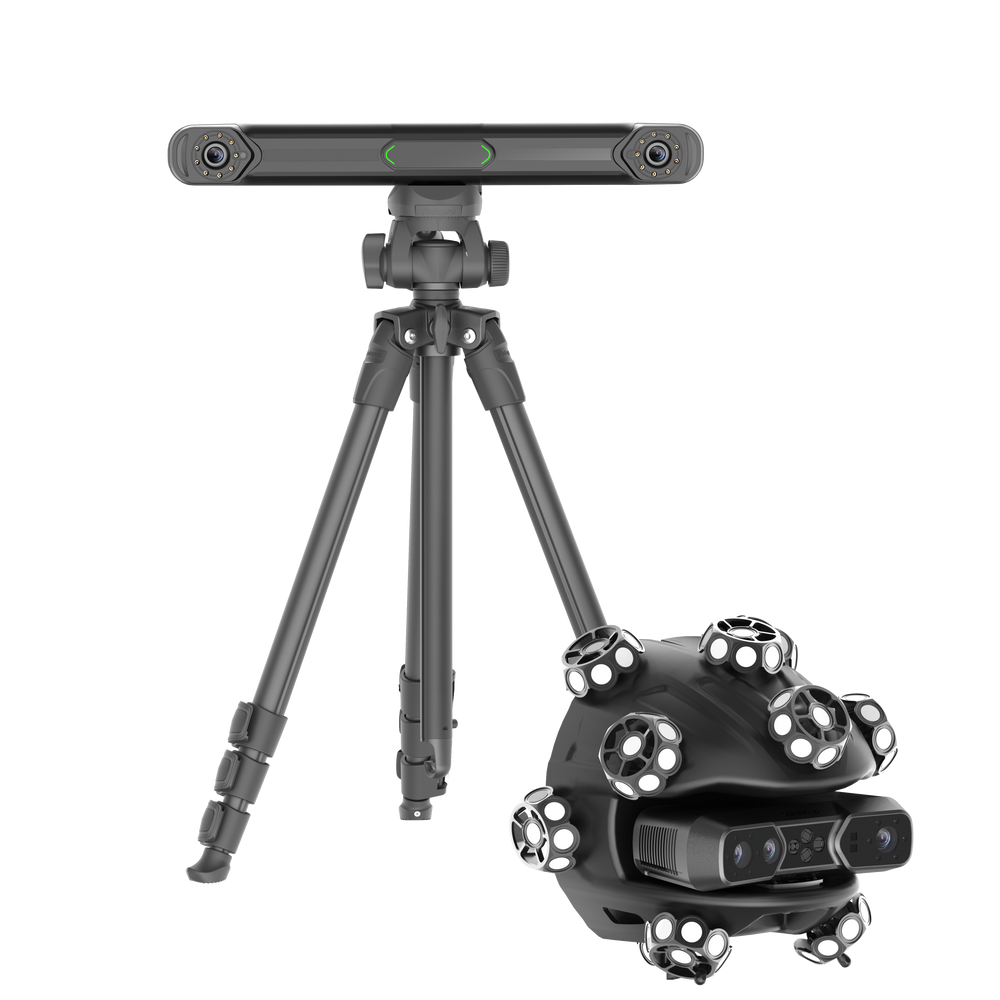
EinScan Trak is a wireless 3D scanning system built around a Marker-Free Tracking System: an optical tracker that follows the scanner itself, so large objects can be scanned without covering their surface in tracking markers. The same unit doubles as a detachable wireless handheld scanner for details, cavities, and areas that are hard to reach, with both datasets merging into a single project.
At a glance
The core innovation
What makes EinScan Trak different: marker-free tracking
For large object 3D scanning, preparing the object can take almost as much time as capturing it. Tracking markers need to be positioned across the surface, cables can restrict movement, and different areas of the same object often call for different scanning approaches.
EinScan Trak's core innovation is its Marker-Free Tracking System. In tracking mode, an optical tracker determines the scanner's position by reading retroreflective markers built into the spherical scanner assembly, not by reading markers placed on the object.
That single design choice removes one of the slowest steps in scanning large objects.
Less object preparation
Because the object itself never needs markers in tracking mode, teams get:
Particularly valuable for large or sensitive objects
Marker-free tracking matters most where placing physical markers is inconvenient, undesirable, or simply not an option:
Vehicles and vintage carsBoats and private yachtsCultural artifacts and museum piecesFine artLarge industrial assetsWorkflow comparison
Why marker-free tracking changes large object 3D scanning
There's no marker layer to manage on the object itself.
Fewer preparation steps
This directly answers the questions professionals ask most about scanning that relies on tracking: why 3D scanners use markers in the first place, whether a 3D scanner can work without them, and how to scan something like a car body without covering it in targets. EinScan Trak's optical tracker tracks the scanner's own retroreflective markers instead, eliminating the need to rely on markers or continuous surface features on the object.
Better fit for objects where markers are undesirable
Marker placement has traditionally been one of the slowest parts of 3D scanning, and in applications like vintage vehicle restoration, cultural heritage preservation, and artwork digitization, placing markers can also be impractical or undesirable given the nature and value of the object. This is where marker-free tracking earns its place in the workflow rather than being an occasional convenience.
Dual-form
One system, two scanning workflows
Marker-free capture for large objects
In tracking mode, the spherical scanner works wirelessly with the tracker to deliver fast, expansive scanning across objects of medium to large size. The tracker precisely tracks the scanner's pose using its retroreflective markers, so it doesn't depend on continuous object features or markers mounted on the object.
Detach and scan the details
For tasks that need more reach and flexibility, the scanner detaches and works independently as a wireless handheld laser scanner. It's particularly effective for small mechanical components, deep cavities, narrow spaces, and other areas that are hard to reach. With no tracker setup involved, it's faster to deploy and easier to transport.
Move between both modes in one project. Users can switch from tracking mode to scanner mode within the same project, so a full vehicle scan and a detailed engine bay scan end up in one dataset rather than two separate files that need manual merging later.
Wireless dual-form tracking
EinScan Trak
$6,999.00
SHINING 3D's wireless 3D scanning system built around a Marker-Free Tracking System, with a detachable handheld laser scanner.
How it works
How the EinScan Trak marker-free tracking system works
EinScan Trak is built around two closely coordinated components: an optical tracker and a spherical scanner module designed for efficient surface coverage. The spherical scanner module houses a detachable handheld scanner that releases for independent handheld operation.
The tracker observes the scanner
The optical tracker reads the retroreflective targets built into the spherical scanner. The tracker itself carries its own depth cameras to strengthen tracking performance and spatial capture.
The system determines scanner position
The tracker continuously calculates the scanner's pose in space.
The scanner captures surface geometry
Blue laser scanning captures the object's actual geometry as the operator moves.
The operator moves across the object
Because tracking doesn't depend on markers distributed over the object, the operator can move freely between scanning regions.
Reposition the tracker when needed
When an object extends beyond a single tracker position, the tracker can be repositioned while scanning continues. SHINING 3D calls this Hybrid Leapfrog, and it's what makes scanning a full yacht hull or a long production line practical from one system.
Laser modes
Three blue laser modes for speed, detail, and deep geometry
EinScan Trak integrates three dedicated laser scanning modes, each solving a different scanning problem.
Crossed laser lines: cover large areas faster
Designed for fast scanning and maximum efficiency, this mode captures more data per frame, enabling faster acquisition with smoother tracking. It's the mode to reach for on vehicle bodies, large surfaces, and general high efficiency scanning tasks.
Parallel laser lines: capture fine edges and details
Built for sharp edges and fine details, making it well suited for reverse engineering, mechanical components, and measurement workflows where edges, contours, and intricate surface features matter.
Single laser line: reach deep and narrow features
Captures deep holes, narrow channels, internal structures, and other features that are difficult to reach, extending scanning accessibility into areas that are typically problematic for conventional approaches.
Wireless
Wireless large area scanning without cable constraints
EinScan Trak supports both wireless and wired operation, letting users move freely across a scanning environment without cable constraints. It combines rapid scanning across wide areas with localized, precise detail capture in the same workflow.
Wireless tracker and scanner workflow
A Wi-Fi 6 communication module connects through an independent LAN and pairs automatically at startup, giving stable, fluid wireless scanning within a range of up to 4 meters.
Reposition the tracker across large projects
Continuously reposition the tracker while maintaining uninterrupted tracking and stable measurement reliability, extending the effective scanning range for digitizing large areas like full vehicles or vessels.
Align data from multiple tracker positions
Alignment across projects merges datasets captured from different tracker positions through feature based alignment, without requiring markers on the object, keeping detail consistent across large scanning projects.
Capture large areas quickly
Scanning speeds of up to 2,630,000 points per second let users capture large objects quickly without slowing down demanding projects.
One project
From large area capture to fine details in one project
A typical workflow looks like this:
Local resolution where detail matters
During scanning, users can switch between resolutions and apply Local Resolution to areas that need extra detail, balancing speed on broad surfaces with precision where it counts. With a scanning range of up to 4 m and resolution as fine as 0.05 mm, the system covers both efficient scanning of large objects and high precision detail capture in the same session.
Smart data merging
Data captured in tracking mode and scanner mode merges within a single project, with compatibility across the different laser modes. That reduces redundant data and produces a more complete, consistent 3D model without manual reconciliation between separate scan files.
Real-world conditions
Scan challenging surfaces and real world environments
Black, metallic, and reflective surfaces
EinScan Trak is designed to handle black materials, reflective finishes, metallic components, and automotive rims with minimal data loss, reducing the need for surface preparation like spray coating.
Indoor and outdoor scanning
The system holds up under outdoor lighting conditions of up to 110,000 lux, in addition to reliable indoor performance.
Built for field work
Marker-free tracking removes one workflow constraint. Wireless operation and rugged, field ready hardware remove several more.
Both modes
All-scenario marker-free 3D scanning
Marker-free capability isn't limited to tracking mode. EinScan Trak's handheld scanner mode also supports marker-free laser scanning on surfaces with rich, varied geometric features, using those surface features for tracking and alignment instead of physical markers. That means scanning can begin immediately without additional setup.
For applications that call for the highest level of scanning detail, global markers remain available as an option in either mode.
Color
Capture geometry and full color texture
Laser tracking systems have traditionally been valued for speed, detail, and measurement, but rarely for color capture. EinScan Trak's 5MP texture camera captures realistic color and material detail alongside precise geometry, preserving both the shape of an object and its visual appearance.
When color matters
Cultural heritage preservation and museum collectionsArt digitizationScientific research and documentationEducationAR/VR and digital contentDigital archivingSoftware
From 3D scanning to measurement and reverse engineering
Capturing a complete 3D model is often just the starting point. Engineering teams still need to inspect dimensions, compare a scan against reference geometry, or rebuild the scanned object as editable CAD.
Inspect the scan
EXMeasure
Multiple model alignment methods and feature creation for points, lines, planes, cylinders, spheres, and other geometric elements. One-click color map comparison between reference and measure model, GD&T inspection for flatness, parallelism, and cylindricity, quick angle, area, and volume measurement, simulated caliper measurements for diameter and length, and visual report generation a whole team can act on.
Turn scan data into CAD-ready geometry
EXModel
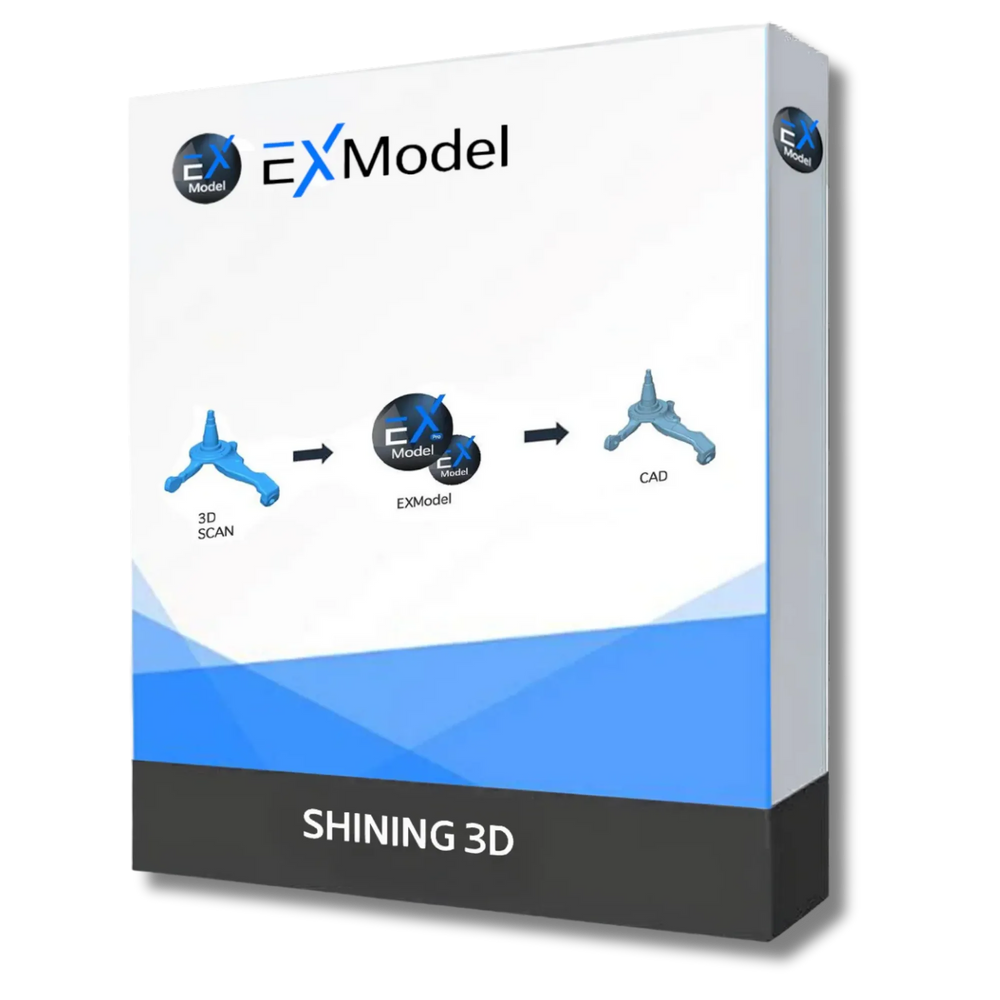
Mesh editing, coordinate alignment, primitive extraction, cross sections, 2D/3D sketching, freeform modeling, auto surfacing, and feature based reconstruction. EXModel converts scan meshes into editable, CAD-ready geometry and builds accurate surfaces and profiles for further design work, with standard CAD export to carry that geometry into downstream tools.
Applications
EinScan Trak applications across industries
Automotive customization and restoration
Large body surfaces, fine detail on components, and a marker-free workflow make EinScan Trak a fit for body scanning, aftermarket parts, restoration work, custom bodywork, and interior components alike.
Reverse engineering
Fine edge capture from the 7 Parallel Laser Lines mode, access to deep features from the Single Laser Line mode, and a direct path into EXModel make this a practical reverse engineering tool rather than just a capture device.
Marine and yacht customization
Large surface areas, tracker repositioning via Hybrid Leapfrog, and wireless operation suit hull scanning, deck layouts, and custom ship modification work.
Industrial design and engineering
Product redesign, digitizing legacy components, digital reference models, and inspection workflows all benefit from combining large area coverage with local high resolution detail.
Cultural heritage and art digitization
This is where marker-free tracking earns its keep most clearly, since physical markers are frequently undesirable on sensitive or valuable objects. The 5MP texture camera adds full color capture on top of geometry, which matters for museum and archival work.
Specifications
EinScan Trak key specifications
Minimum computer requirement
Order or talk to our team
Own the world's first wireless, dual-form, marker-free tracking system
EinScan Trak puts marker-free tracking at the center of a more flexible workflow for scanning large objects. Large surfaces get scanned without covering them in tracking markers, the tracker repositions wirelessly as a project grows, the scanner detaches for detailed areas, and the resulting data moves directly into measurement or reverse engineering software, all within one system.
Have questions about whether it fits your workflow? Talk to our team before you buy.
FAQ