
When it comes to complex reverse engineering, QUICKSURFACE is the right solution: one of the most powerful tools available today, with hybrid modeling that combines parametric and free-form solids.
to rebuild a complex part manually
to reverse engineer the same complex part
Here's an example: a Volkswagen van spindle reverse engineered with the QUICKSURFACE hybrid modeling toolkit, from worn physical part to a CAD model in SOLIDWORKS and Fusion 360.
Step by step
From worn spindle to editable CAD
The original physical part
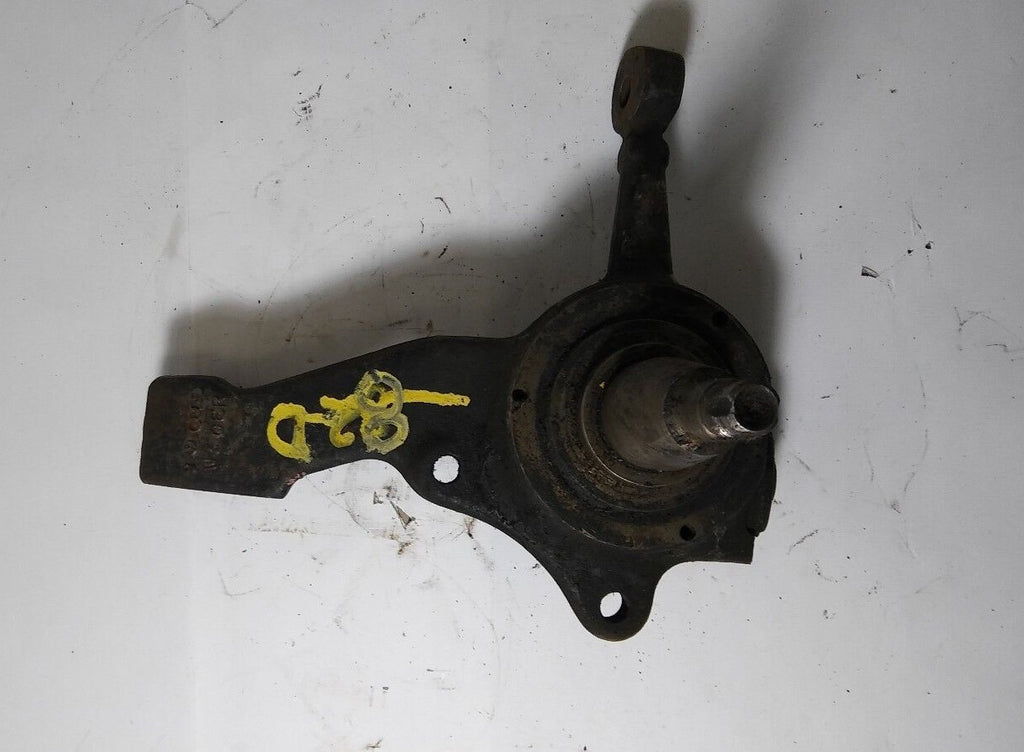
A worn Volkswagen van spindle with no CAD file or drawings.
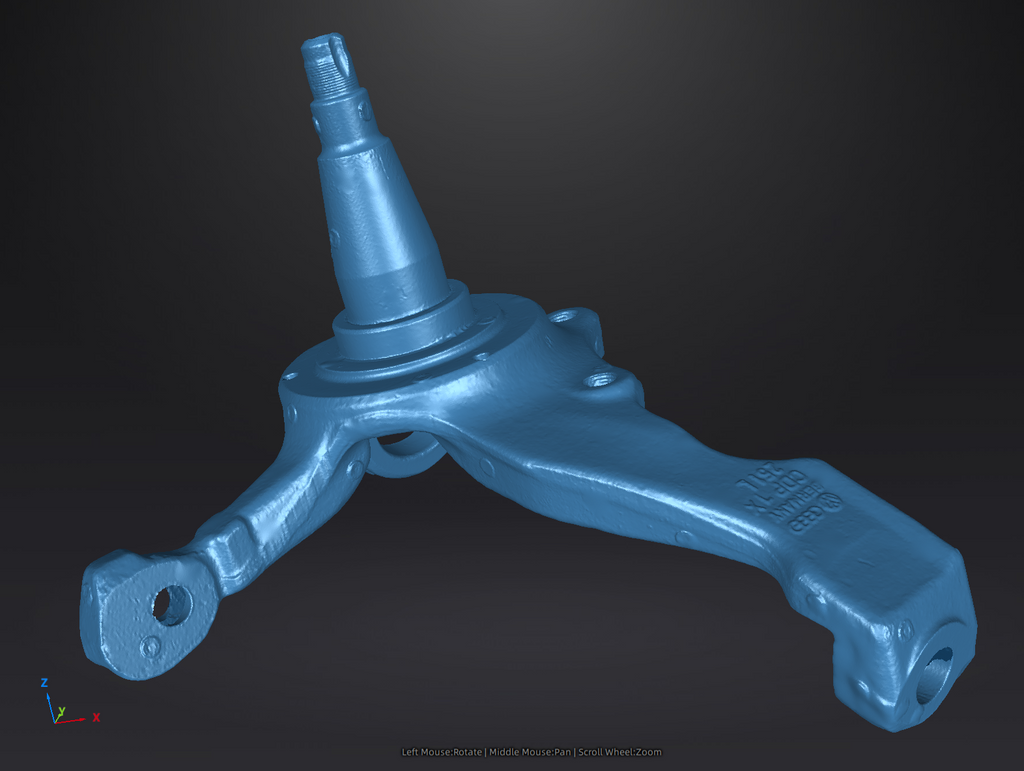
Scan data imported into QUICKSURFACE
The mesh is brought into QUICKSURFACE to begin hybrid reconstruction.

CAD solid created
Parametric and free-form geometry combined into one solid using the hybrid modeling toolkit.

Scan data and solid overlaid
The reconstructed solid shown together with the original scan.

Deviation analysis
The reverse-engineered model is compared against the scan data to validate accuracy.

Imported into SOLIDWORKS or Fusion 360
The finished model opens in your CAD platform of choice.


Video tutorial
Watch the detailed step-by-step tutorial (~27 minutes)
Prefer to see it live? Contact us for an online demonstration.
Products in this article
Learn more about the tools used
Scanner + software
Reverse engineering bundles
Pair a professional 3D scanner with QUICKSURFACE to run this workflow end to end, from capture to finished CAD.
Free online demonstration
See what QUICKSURFACE can do with your parts
We'd love to show you what you can achieve with QUICKSURFACE. Contact us for an online demonstration.
Request a demo