Skip to product information
1 of 7

Geomagic Control X Inspection

Geomagic Control X Inspection

Regular price $5,799.00 USD
Regular price $7,249.00 USD Sale price $5,799.00 USD
Sale Sold out
Shipping calculated at checkout.
LIcense Type
License Duration

Geomagic Control X is an advanced 3D inspection and metrology software designed for quality assurance professionals. It makes inspection simpler by capturing and processing data from any 3D scanner or portable CMM, allowing you to measure, understand, and communicate inspection results with minimal human interaction.


Core difference:

  • Geomagic Control X Essentials: Affordable fundamental 3D scan-based inspection.

  • Geomagic Control X Professional: Full-featured automated multi-result metrology.

View full details

What is Geomagic Control X?

Geomagic Control X is a comprehensive metrology software platform that delivers powerful tools within straightforward workflows. It allows you to import raw scan data or drive 3D scanners natively, enabling you to compare physical parts to CAD models instantly. 

Featuring automated inspection routines, CAD aware dimensioning, and robust mesh processing, it provides traceable and repeatable workflows. Whether assessing deformation or identifying manufacturing issues, Control X delivers fast, precise, and information rich reporting to reduce quality control bottlenecks in any production environment.

  • Why Users Choose Geomagic Control X for 3D Inspection

    Users choose Geomagic Control X for its revolutionary ease of use and feature intelligence. It automatically recognizes features, eliminating manual setup, while providing a synchronous process that allows you to change inspection workflows flexibly and generate repeatable measurements every time.

    Get a Free Demo
  • 3D Quality Control & Inspection with Geomagic Control X

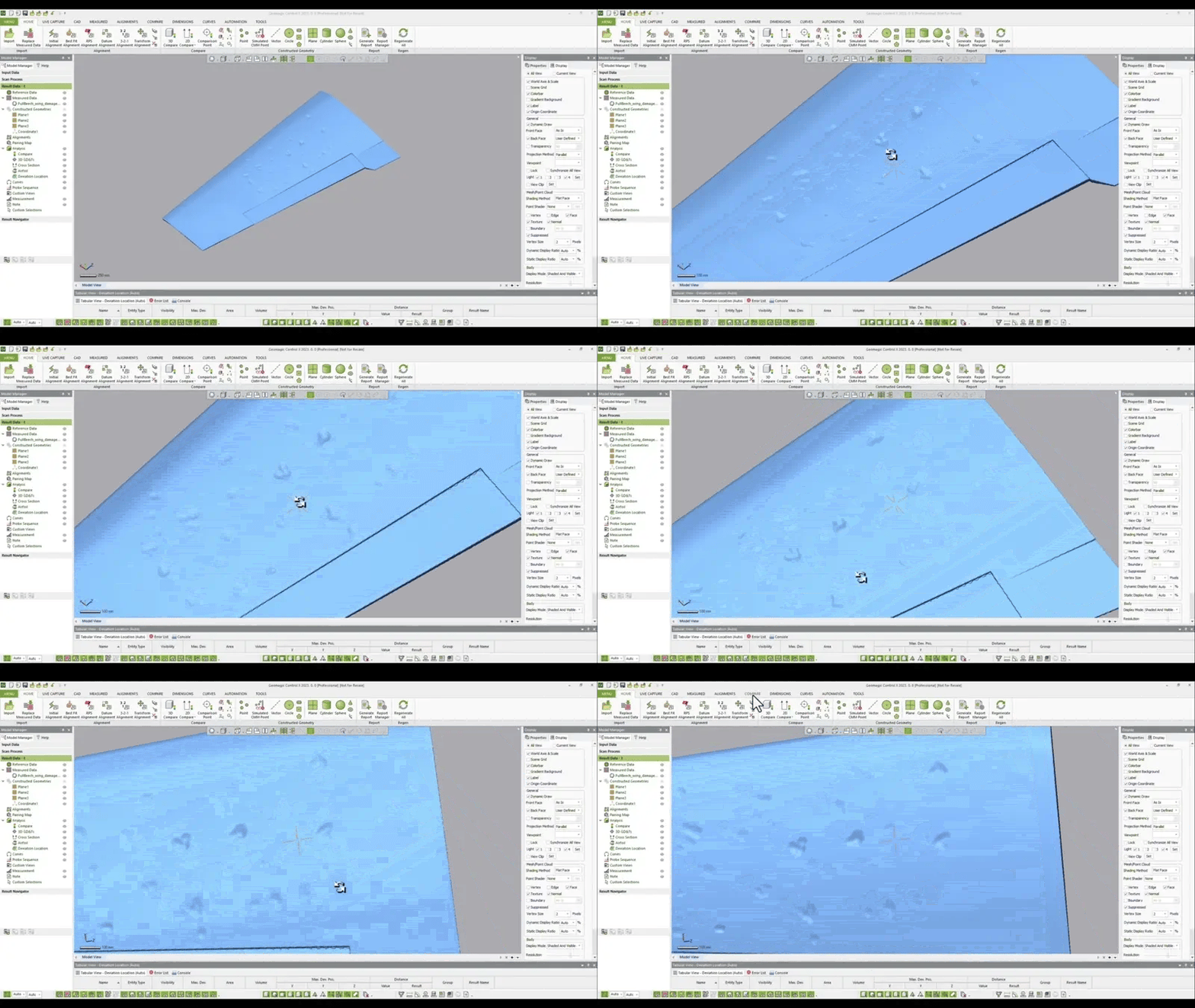
    Ensure quality everywhere by integrating scan based inspection into your workflow. Geomagic Control X lets you scan, analyze, and report surface defects, utilizing custom annotations, GD&T callouts, and 3D color maps to quickly identify and resolve assembly issues before they cause costly scrap.

    Request a Free Trial
1 of 2

Typical Workflow Using Geomagic Control X

A typical inspection workflow using Geomagic Control X includes the following steps:

  1. Import neutral CAD files and raw scan data from any 3D scanner or portable CMM.
  2. Align the scan data to the CAD model using initial, best fit, or datum based alignment tools.
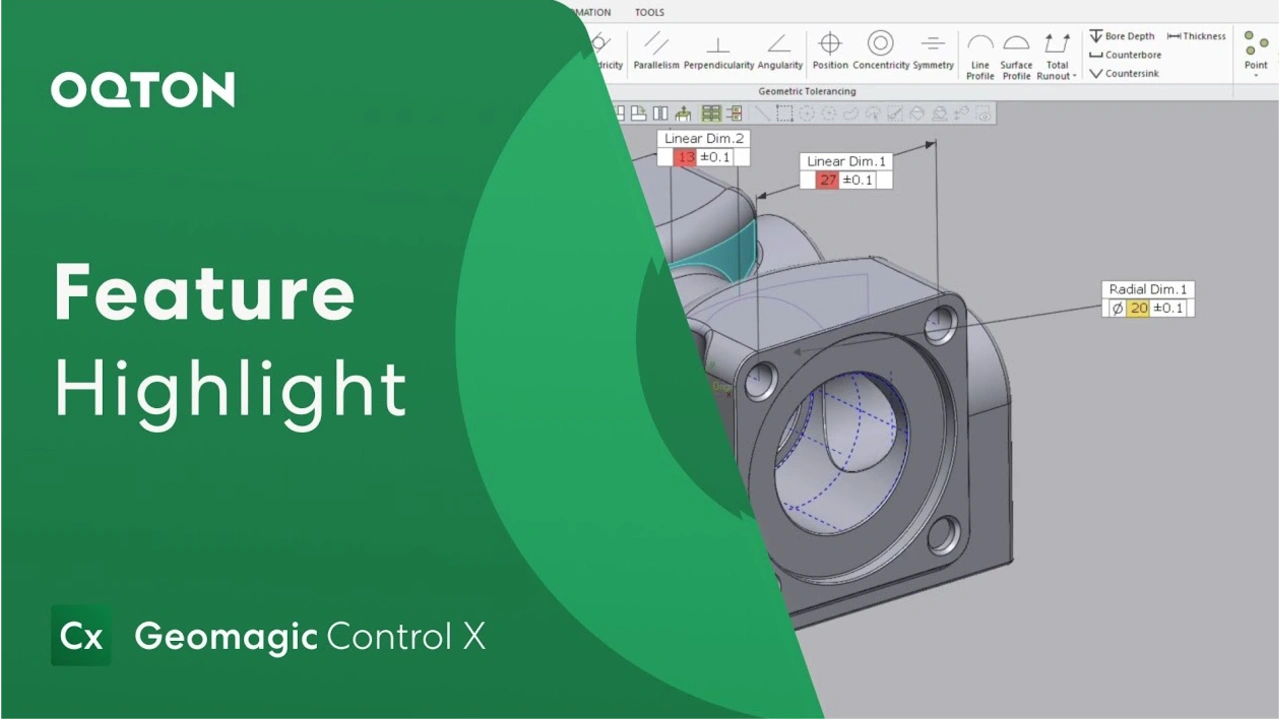
  3. Evaluate the part using 3D comparisons, intelligent dimensioning, and advanced GD&T analysis.
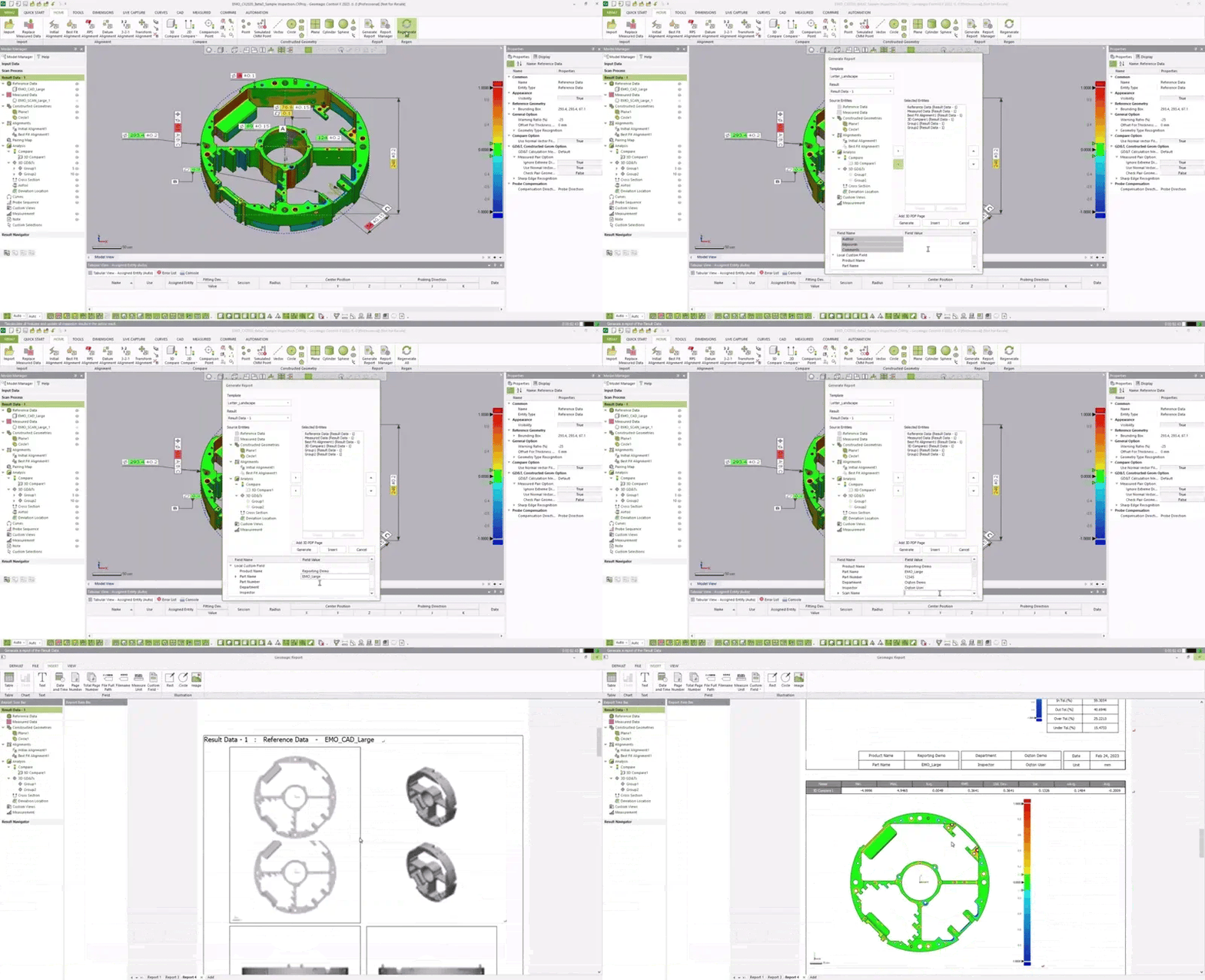
  4. Generate comprehensive, multi-result professional inspection reports automatically to share with your team.

Geomagic Control X gives you a complete view of part accuracy to solve your toughest measurement problems.

  • Universal Device Integration

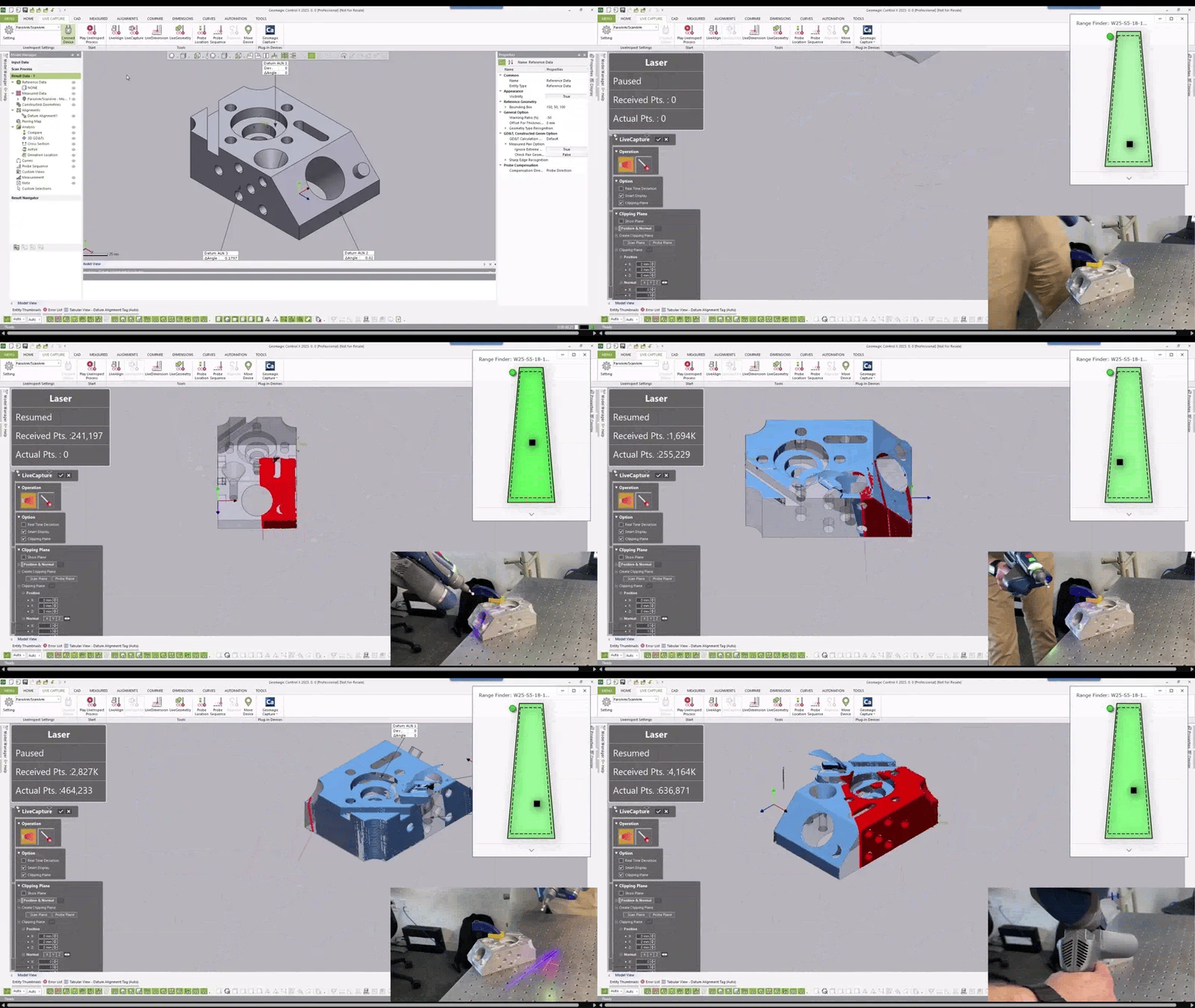
    Drive your portable CMM or 3D scanner directly inside the software using dedicated plugins for brands like Shining 3D.

  • Feature Intelligence

    Automatically recognize features from a CAD model or a scanned golden part to drastically reduce manual dimension setup time.

  • 2D and 3D Comparisons

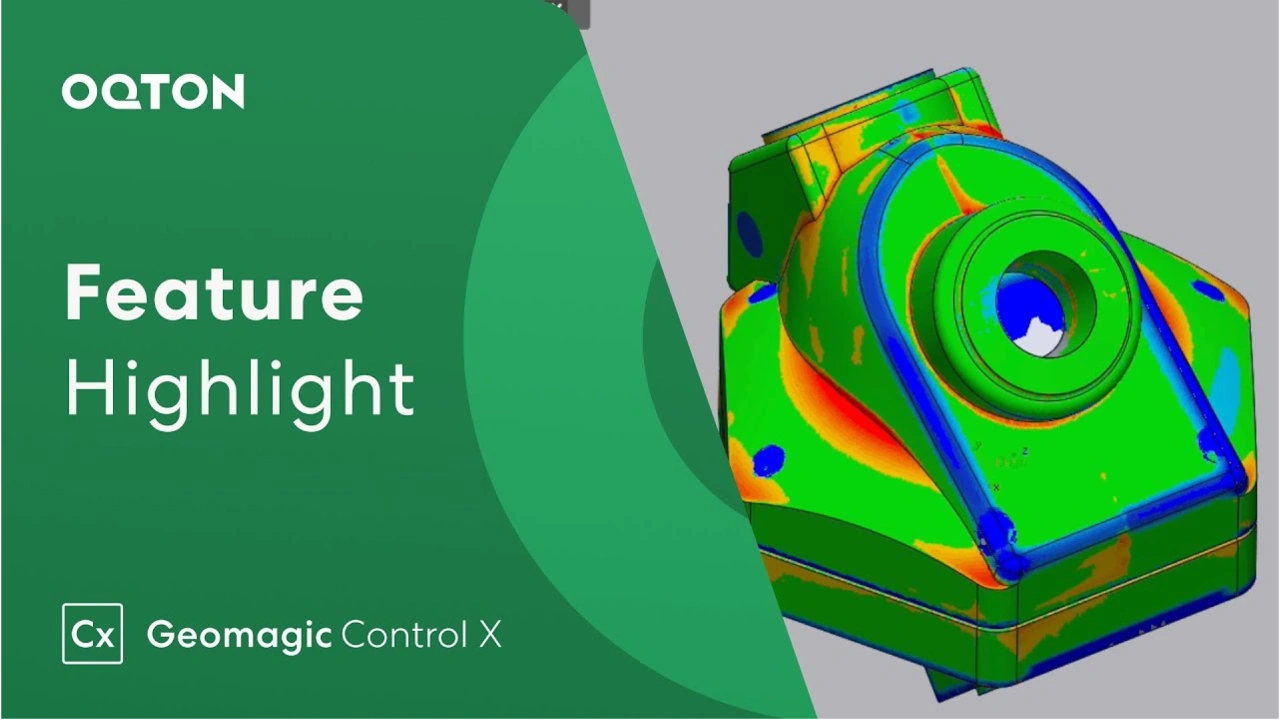
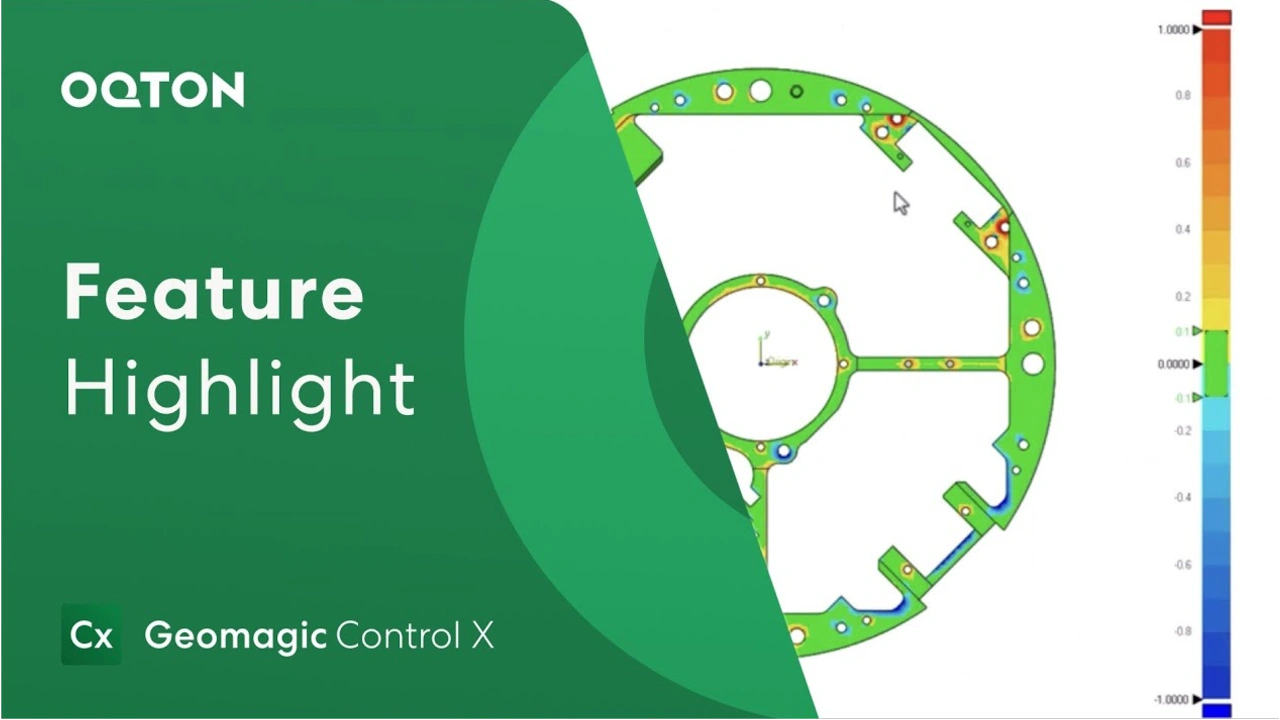
    Instantly create scan-to-CAD color maps to clearly visualize geometry, boundary, curve, and silhouette deviations.

  • Flexible, Synchronous Inspection

    Change any aspect of your inspection at any time without rebuilding the entire routine to guarantee true, repeatable measurements.

  • Advanced Automation

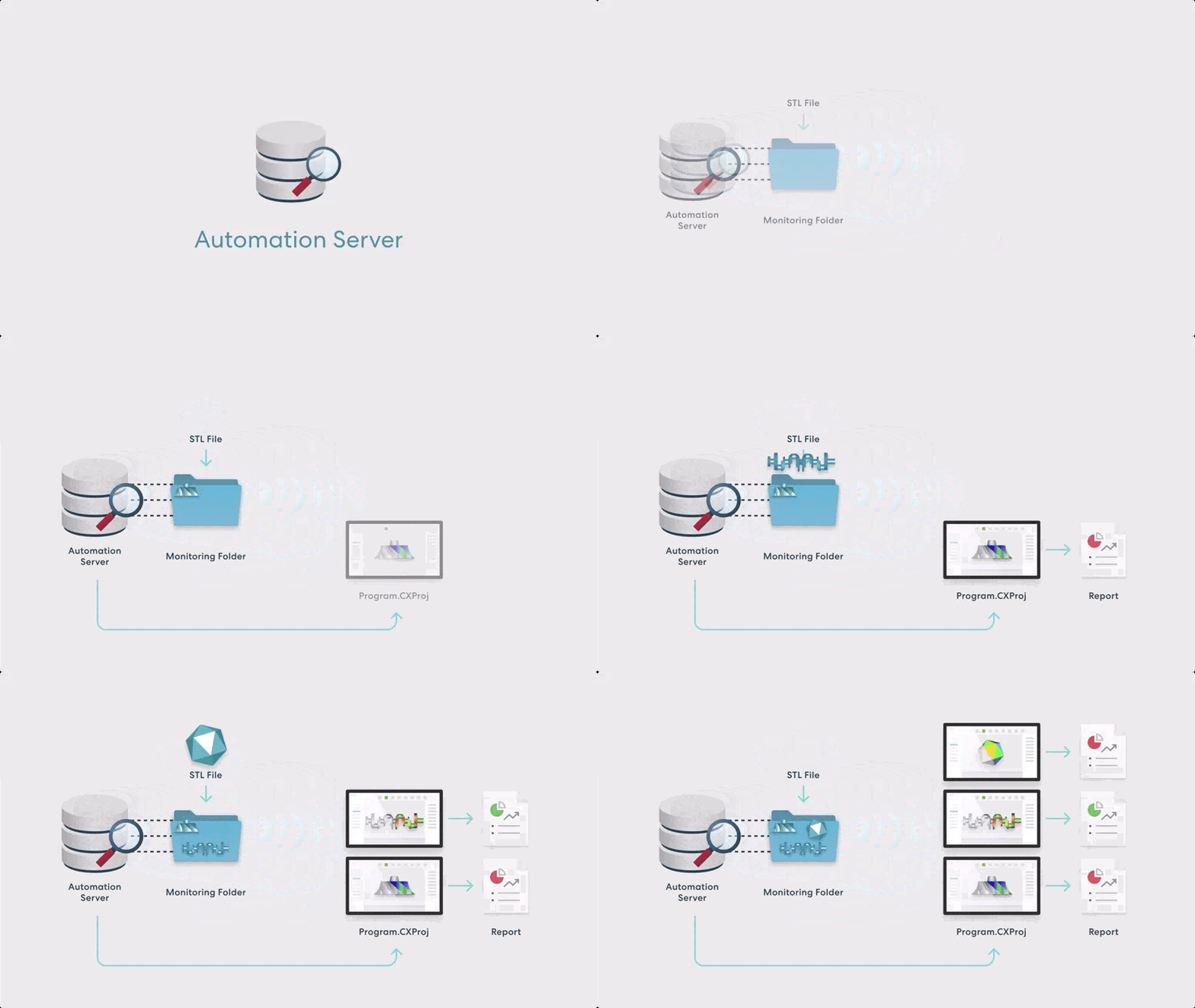
    Maximize your inspection throughput with visual scripting, Python scripting, batch processing, and a dedicated Automation Server (Exclusive to Professional).

  • Custom Reporting

    Analyze multiple results and quickly output professional, customized inspection reports in PDF, Excel, PPT, or DMIS formats.

1 of 6
  • Geomagic Control X Essentials

    Affordable and Powerful Inspection for Everyone

    What it includes:

    Import and export for neutral CAD and scan formats, comprehensive reporting tools, GD&T tools, mesh and point cloud processing, and repeatable inspection routines.

    Best for:

    Professionals adopting scan-based inspection who require essential metrology tools and repeatable workflows at a cost-effective entry point.

  • Geomagic Control X Essentials Connect

    Powerful Inspection for Portable CMMs and Scanners


    What it includes:

    Everything in Essentials, plus direct plugin scanning and dedicated support and tools for portable metrology devices.

    Best for:

    Quality assurance teams that need to drive portable CMMs and 3D scanners directly inside the software to capture and analyze data in one seamless environment.

  • Geomagic Control X Professional

    Professional Inspection for Advanced and Automated Workflows

    What it includes:

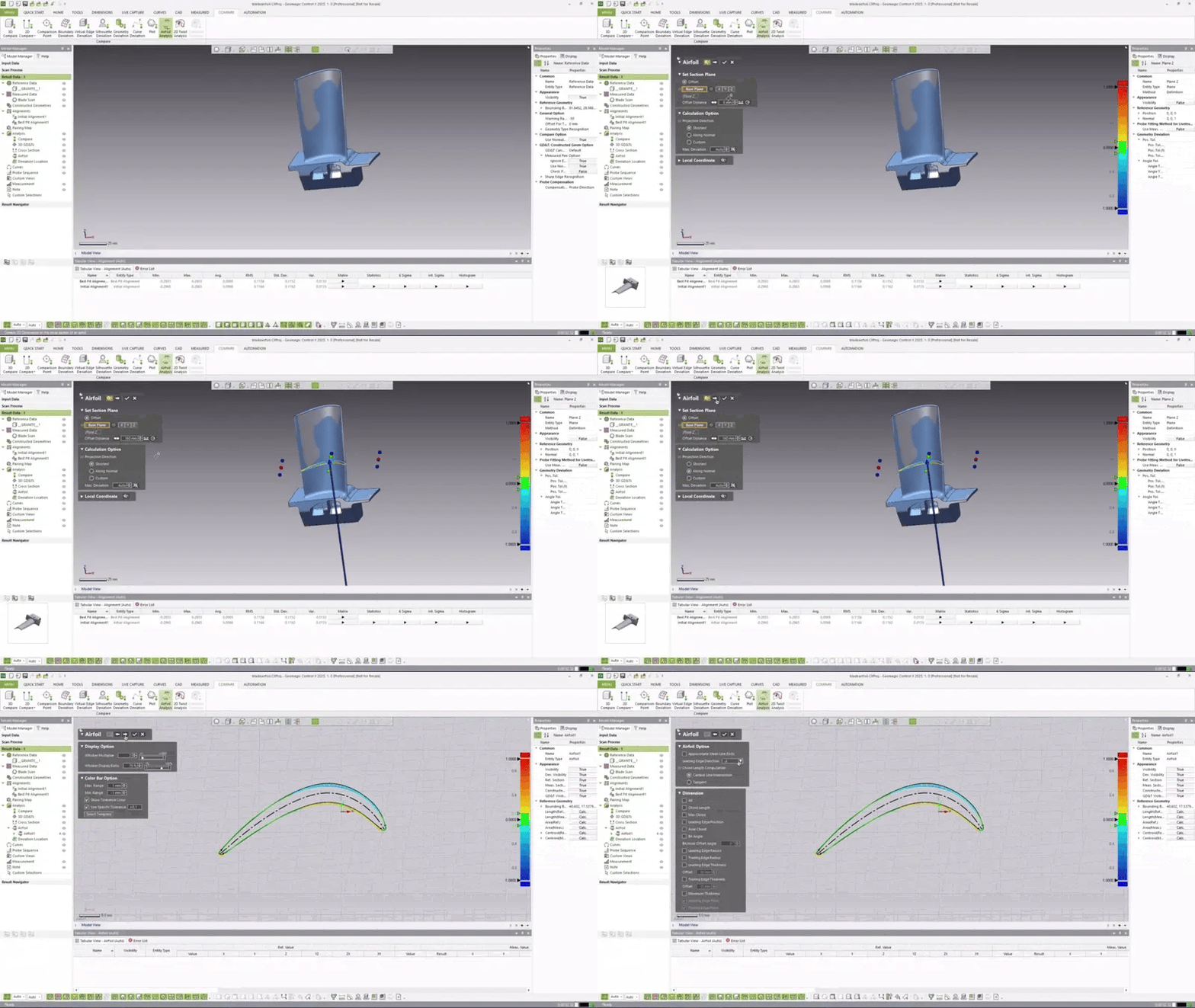
    Everything in Essentials Connect, plus native CAD import, multi-result inspection, surface defect inspection tools, specialized airfoil analysis, and advanced automation via visual and Python scripting.

    Best for:

    Demanding quality assurance environments requiring high throughput automated inspection workflows, multi part trend analysis, and native CAD support.

1 of 3
  • Industrial & Manufacturing

    Engineers use Control X to compare scans of worn compressor turbines against prototype CAD models, allowing them to quickly diagnose performance issues and remanufacture functional replacements.

  • Automotive & Aerospace

    Automotive engineers utilize 3D scanning and the intuitive deviation color maps in Control X to accurately conduct first article inspections on highly complex curved glass sunroofs, drastically enhancing efficiency.

  • Consumer Products

    Consumer product manufacturers implement Geomagic Control X to automate their quality control, cutting their reporting time from eight hours down to three hours using automated 3D compare and cross-section templates.

  • Healthcare & Medical

    Orthodontic researchers use the software's automated "Best-fit" algorithm to superimpose 3D scans of patients' teeth before and after clear aligner treatments, precisely measuring actual intraoral tooth movement.

1 of 4

See Geomagic Control X in Real Inspection Workflows

Geomagic Software Training

3D Wonders offers live online training for Geomagic software, including Design X, Control X, and Geomagic Freeform. These sessions help engineers and designers learn the key workflows used in scan-to-CAD modeling, inspection, and organic design.

Training is delivered by experienced specialists and focuses on practical techniques for working with 3D scan data, CAD reconstruction, and digital modeling.

Available topics include:

• Reverse engineering with Geomagic Design X
• Inspection and GD&T analysis with Geomagic Control X
• Organic modeling with Geomagic Freeform

Our online training sessions can be organized for individuals or teams and adapted to your workflow and experience level.

Request Training Information

Eliminate costly scrap and rework by identifying manufacturing issues early in production.

  • Reduce Inspection Bottlenecks

    Automate data processing and reporting workflows to inspect parts with next to no human interaction.

  • Certified Accuracy

    Rely on algorithms rigorously validated and certified by PTB, NIST, and NPL standards organizations.

1 of 2

Computer Requirements

Category Minimum Requirements Recommended Workstation
Operating System Windows 10 (64-bit) or Windows 11 Windows 11
Processor (CPU) Intel or AMD 64-bit processor Intel Core i7/i9 (13th gen or newer) or AMD Ryzen 7/9 (5000 series or newer)
Memory (RAM) 8 GB 32 GB or more
Graphics (GPU) NVIDIA GPU with OpenGL 4.0 support and 2 GB VRAM NVIDIA RTX series with 4 GB VRAM or more
Storage 30 GB free disk space SSD with 512 GB or larger

Function Features Comparison

Feature Essentials Essentials Connect Professional
I/O
Import/Export Neutral CAD (IGES, STEP, etc.) ✗ ✗ ✓
Import/Export Neutral Scan (STL, PTS, etc.) ✗ ✗ ✓
Import/Export Native CAD & Scan data ✗ ✗ ✓
Import PMI CAD ✓ ✗ ✓
Import ASCII Geometry ✗ ✓ ✓
AUTOMATION
Repeatable Inspection (Replace Measured Data) ✗ ✗ ✓
Scan Process. ✗ ✓ ✓
Batch Process ✗ ✗ ✓
Automation Server ✗ ✗ ✓
Visual Scripting ✗ ✗ ✓
Python Scripting ✗ ✗ ✓
Replace Reference Data ✗ ✗ ✓
ALIGNMENTS
Initial Align ✓ ✓ ✓
Best fit ✓ ✓ ✓
RPS ✓ ✓ ✓
Datum ✓ ✓ ✓
3-2-1 Alignment ✓ ✓ ✓
Coordinate Align ✓ ✓ ✓
Transform ✓ ✓ ✓
Adaptive ✗ ✗ ✓
Homing ✗ ✗ ✓
COMPARE
3D Compare ✓ ✓ ✓
2D Compare ✓ ✓ ✓
Compare Points ✓ ✓ ✓
Geometry Deviation ✗ ✗ ✓
Boundary Deviation ✗ ✗ ✓
Virtual Edge Deviation ✗ ✗ ✓
Silhouette Deviation ✗ ✓ ✓
Curve Deviation ✗ ✗ ✓
Plots ✗ ✗ ✓
Airfoil ✗ ✗ ✓
2D Twist ✗ ✗ ✓
Deviation Location ✗ ✗ ✓
REFERENCE GEOMETRY
Simulated CMM Point ✗ ✗ ✓
All Other Ref Geom. (Vector, Plane, Pt. etc.) ✓ ✓ ✓
SCANNER DIRECT CONTROL
Scanner Plugins (Creaform, Shining 3D, etc.) ✗ ✓ ✓
LiveScan, LiveInspect, LiveGeometry, etc. ✗ ✓ ✓
Move Device, Probe Sequence, etc. ✗ ✓ ✓
CAD TOOLS
Delete ✓ ✓ ✓
Reverse Normal ✓ ✓ ✓
Convert to Mesh ✓ ✓ ✓
Assign Tolerance ✗ ✗ ✓
Transform Body ✗ ✗ ✓
Healing, Find Defect ✓ ✓ ✓
Sew, Split ✗ ✗ ✓
Offset, Thicken, Mirror, Separate ✗ ✗ ✓
SCAN TOOLS (MESH/POINT)
All (Merge, Fill Holes, Filter Noise, etc.) ✓ ✓ ✓
REGION TOOLS
All ✓ ✓ ✓
GD&T
All (2D & 3D) ✗ ✗ ✓
CURVE TOOLS
Spline, Section, Intersection, Boundary ✗ ✗ ✓
Offset, Project, Mirror, Convert ✗ ✗ ✓
UV Curves, Fit Spline, Smooth, Trim, Extend ✗ ✗ ✓
Split, Match, Merge ✗ ✗ ✓
Insert & Remove Node, Remove Constraint ✗ ✗ ✓
Contour Curve from 3D Compare ✗ ✗ ✓
MULTI-RESULT INSPECTION
Single-Result Inspection ✓ ✓ ✓
Multi-Result Inspection ✗ ✗ ✓
REPORT TOOLS
All ✓ ✓ ✓
ADD-INS
Script Add-in, etc. ✗ ✗ ✓

Start Using Geomagic Control X

Geomagic Control X empowers quality assurance teams to seamlessly capture, analyze, and report on 3D scan data to ensure perfect part manufacturing every time.

Frequently Asked Questions

Looking for something specific? Let us know, and we’ll be happy to assist you.

Does Control X work with portable CMMs?

Yes, it works natively with 3D scanners and portable CMMs from various brands, including Shining 3D.

Can I automate my inspection workflows?

Yes, the Professional edition supports automated, repeatable workflows using Visual Scripting, Python scripting, and a dedicated Automation Server.

 Does it support native CAD file imports?

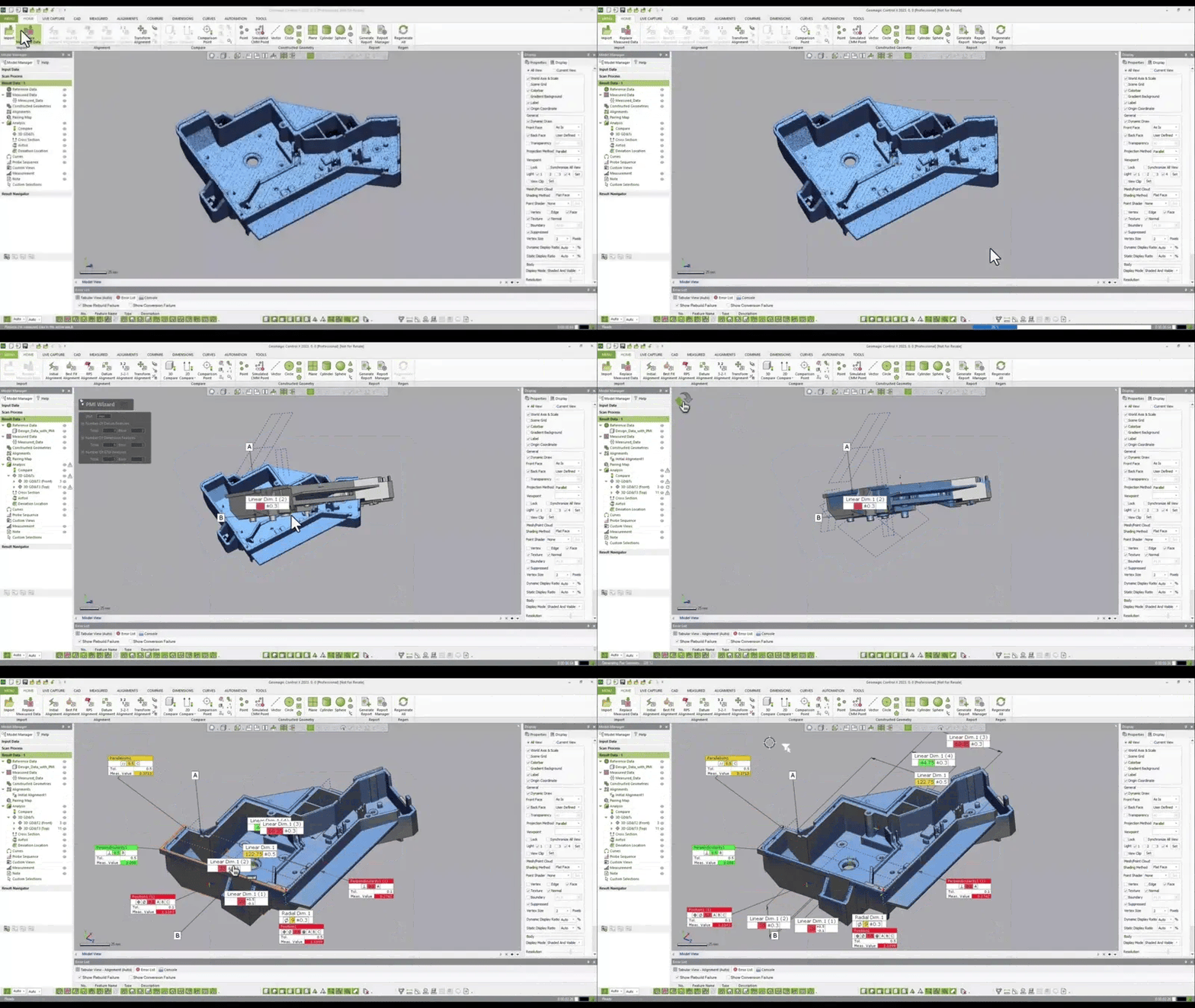
The Professional edition supports importing native CAD formats (like CATIA, NX, and SOLIDWORKS) along with crucial PMI data.

Are the measurement algorithms certified?

Yes, the software's accuracy is officially validated by published test results from major standards organizations, including NIST, PTB, and NPL.

Can I compare a scan to another scan?

Yes, you can compare your raw scan data to a CAD model or directly to another scanned golden part.

What is feature intelligence?

Feature intelligence automatically recognizes features from your CAD or reference part, saving you from manually setting up matching pairs.

Does it generate automatic reports?

Yes, you can analyze multiple results and quickly output professional, custom inspection reports in PDF, Excel, PPT, or DMIS formats.

Can I edit a mesh inside Control X?

Yes, it includes robust scan tools to merge, filter noise, fill holes, and intelligently decimate mesh data to improve processing speeds.

What are the minimum PC requirements?

You need Windows 8.1 (64-bit), a 2.0 GHz processor, 8GB of RAM, and a 4GB OpenGL 3.0 enabled graphics card.

Is there an affordable entry-level version?

Yes, Geomagic Control X Essentials provides core alignment, comparison, and reporting tools at a significantly lower price point for new users.