Skip to product information
1 of 1

KVS Ltd

Quicksurface Reverse Engineering Software

Quicksurface Reverse Engineering Software

Regular price $540.00 USD
Regular price $540.00 USD Sale price $540.00 USD
Sale Sold out
Shipping calculated at checkout.
License Type
License Duration

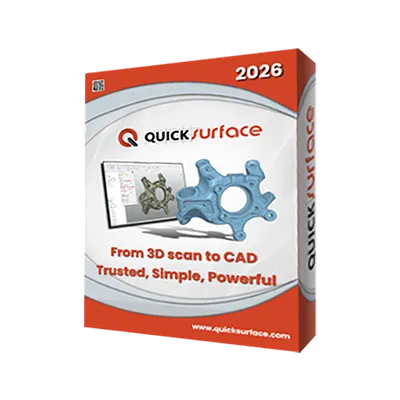
QUICKSURFACE is the ultimate hybrid reverse engineering software, delivering trusted, simple, and powerful tools to bridge 3D scanning and manufacturing. Designed for engineers and designers, it seamlessly converts complex scan data into parametric CAD models using robust surfacing and solid modeling for reverse engineering and product design workflows.


Core difference:

  • QUICKSURFACE Lite: Extract basic geometries to CAD.

  • QUICKSURFACE Pro: Full parametric CAD creation.

View full details

What is QUICKSURFACE?

QUICKSURFACE is an intuitive, modern 3D hybrid reverse engineering software powered by the SIEMENS Parasolid CAD kernel. It allows users to import large mesh data and easily transform it into professional, manufacturing ready CAD models. 

With powerful hybrid modelling of solids and freeform surfaces, real time deviation control, and a dedicated scan data preparation wizard, QUICKSURFACE provides a cost effective, standalone solution to bridge the gap between 3D scanning and traditional CAD ecosystems seamlessly.

  • Why User Use QUICKSURFACE for Reverse Engineering

    Users choose QUICKSURFACE because it offers an incredibly intuitive hybrid modeling environment. It combines real-time deviation control with powerful surfacing tools, allowing both beginners and professionals to rapidly extract precise 2D and 3D geometries without the steep learning curve of traditional CAD platforms. 

    Get a Free Demo
  • Reverse Engineering with QUICKSURFACE

    Reverse engineering with QUICKSURFACE is highly efficient thanks to its dedicated scan data preparation wizard and robust SIEMENS Parasolid kernel. Users can effortlessly handle large mesh data, perform automatic surfacing, and export accurate, production-ready IGES or STEP files directly to manufacturing workflows.
    Request a Free Trial

Typical Workflow Using Quicksurface

A typical design workflow using QUICKSURFACE includes the following steps:

  1. Import scan data directly from your 3D scanner into the software environment.
  2. Utilize the scan data preparation wizard to efficiently align, optimize, and ready your mesh for extraction.
  3. Execute the modeling process using hybrid modelling of solids, freeform surfaces, and primitive extraction.
  4. Export the finalized CAD file as industry-standard formats for downstream manufacturing.

QUICKSURFACE empowers users to seamlessly transition from imported 3D scan meshes to precise, parametric CAD models with absolute confidence.

  • Scan Data Preparation Wizard

    Streamline your initial workflow with an intuitive wizard designed to automatically align, clean, and prepare imported scan data for modeling extraction.

  • Large Mesh Data Processing

    Import and smoothly process massive, high density point clouds and STL files without experiencing system lag or graphics crashes.

  • 2D & 3D Geometry Primitive Extraction

    Extract foundational geometric shapes (like cylinders, planes, and spheres) directly from the scan mesh to construct accurate reference data.

  • Automatic and Freeform Surfacing

    Reconstruct highly complex, organic shapes using feature aligned automatic surfacing and manual freeform modeling techniques.

  • Hybrid Modelling of Solids and Freeform Surfaces

    Combine rigid, parametric solid tools with smooth, organic surface blending in a single, unified workspace for complex product development.

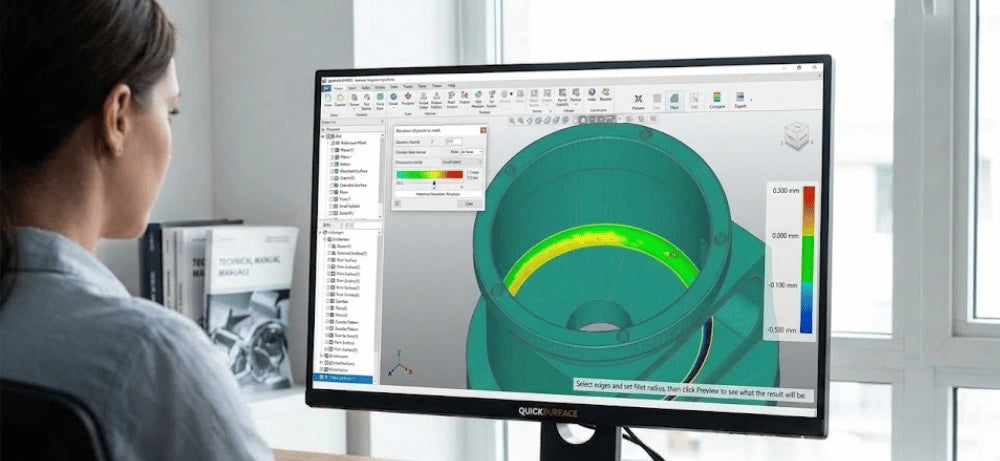
  • Real-time Deviation Control and Accuracy Check

    Validate your design instantly with a live deviation analyzer to ensure your CAD model perfectly matches the original scan data.

1 of 6
  • QUICKSURFACE Lite

    Lowest Cost Entry to Reverse Engineering

    What it includes:

    As the lowest cost entry to the QUICKSURFACE family, it offers basic functionality to extract geometries. It relies on external CAD software to complete full projects but includes an easy upgrade path to the Pro version.


    Best for:

    Ideal for personal buyers or small businesses needing basic scan to CAD applications that will utilize additional CAD environments.

  • QUICKSURFACE Pro

    Professional Parametric CAD Creation

    What it includes:

    Features full parametric CAD creation and professional grade functionality, including advanced modeling tools like Draft, Shell, Thicken, and Loft. It also provides a real time deviation analyzer and interactive freeform modeling.


    Best for:

    Perfect for any demanding reverse engineering or design application requiring complete scan to manufacture workflows without relying on external CAD tools.

1 of 2
  • Industrial & Manufacturing

    Engineers use robust tools to reverse engineer obsolete parts lacking digital documentation, design custom tooling, and perform precise dimensional analysis for quality control.

  • Automotive & Aerospace

    Professionals use 3D reverse engineering to rapidly prototype complex components, retrofit legacy systems, and produce exact replicas for efficient maintenance and repair.

  • Product Design & Creative

    Designers convert physical objects into digital models to accelerate prototyping, customize products to specific preferences, and digitally archive delicate artifacts for preservation.

  • Healthcare & Medical

    Medical experts use high resolution scan data to design custom prosthetics, implants, and dental appliances tailored to unique anatomy, significantly improving patient outcomes.

1 of 4

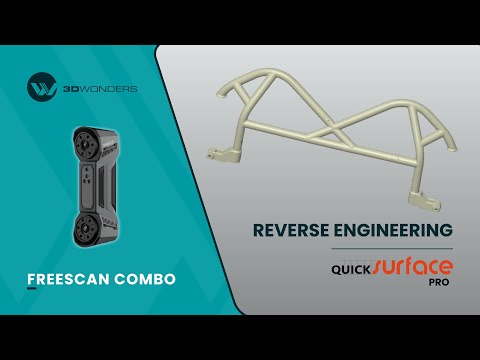
See Quicksurface in Real Design Workflows
What’s New in QuickSurface 2026

A major upgrade delivering better performance, smarter modeling tools, and improved CAD interoperability. QuickSurface 2026 enhances accuracy, stability, and workflow speed for reverse engineering professionals.

As a verified Gold Reseller and Approved Demo & Support Partner of QUICKSURFACE. 3D Wonders provides licensed software, expert onboarding, and dedicated customer support—ensuring you get the most from every update.

Maximize hardware investments by turning raw 3D scans into profitable, manufacturing-ready CAD models instantly.

  • Lowest Long-Term Cost

    With permanent license options and maintenance at only 10%, it delivers the lowest long-term cost of ownership on the market.

  • Eliminate Manufacturing Rework

    Built-in tools like Instant Compare and Real-time Deviation Analyzer ensure your reconstructed models are perfectly accurate before production.

1 of 2

Computer Requirements

Category Requirements
Operating System Windows 10 (64-bit) or Windows 11
Processor (CPU) Intel i5 or higher (or its equivalent of another CPU manufacturer)
Memory (RAM) 16 GB
Graphics (GPU) Dedicated graphics card – nVidia or AMD
Storage 256 GB

Function Features Comparison

Feature Quicksurface Pro Quicksurface Lite
Mesh Editing (Fill Holes, Smoothing, Editing Boundaries)
Mesh Alignment (Coordinates/ N-points/ Fine Align)
Primitives Extraction/ Construct References
Cross Sections/ 2D Sketching/ 3D Sketching
Fit/ Manual Free Form Modelling/ Auto Surfacing
Export Features/ Profile as IGES/ STEP/ DXF
Extrude/ Revolved Surfaces
Helix/ Loft/ Sweep/ Fill Surface (Class A surfaces)/ Blend surface/ Flatten
Constraints/ Offset/ Patterns/ Sketch Assist in 2D Sketch
Unroll Mesh & Roll 2D Sketch
Trim to Solid/ Cut/ Combine/ Intersect/ Fillet/ Chamfer/ Patterns
Hybrid Modelling (Free-Form & Parametric)
Transfer Design and Feature Tree to other Packages
Compare Mesh vs Mesh

Start Using Quicksurface

QUICKSURFACE empowers users to bridge the gap between 3D scanning and manufacturing with an intuitive, cost-effective, and highly accurate reverse engineering workflow.

Frequently Asked Questions

Looking for something specific? Let us know, and we’ll be happy to assist you.

What CAD kernel does QUICKSURFACE use?

The 2026 version of QUICKSURFACE is powerfully driven by the industry-leading SIEMENS Parasolid CAD kernel to ensure maximum reliability and precision.

Can I use QUICKSURFACE Lite for complete CAD projects?

QUICKSURFACE Lite has limited functionality and is designed primarily to extract basic geometries. You will need external CAD software to complete your full projects.

What export formats are supported?

You can seamlessly export your reconstructed models as industry-standard IGES and STEP files directly into downstream CAD/CAM packages.

Is there a permanent license option available?

Yes, QUICKSURFACE Pro offers a permanent license option which provides the lowest long-term cost of ownership with only a 10% maintenance fee.

Does the software include a deviation analyzer?

Yes, QUICKSURFACE Pro includes a real-time deviation analyzer that allows you to instantly compare your CAD model against the original 3D scan data.

Can I upgrade from the Lite version to Pro?

Absolutely. QUICKSURFACE Lite offers an easy trade-up path, allowing you to seamlessly upgrade to the Pro version as your business needs grow.

Does the software support freeform modeling?

Yes, QUICKSURFACE Pro includes advanced freeform modeling tools, allowing for interactive manual modeling and feature-aligned automatic surfacing of complex organic shapes.

Are there tools for preparing models for manufacturing?

Yes, the software includes powerful, specialized tools like Draft, Offset, Thicken, and Shell to ensure your models are fully prepared for actual manufacturing processes.

What are the minimum computer requirements?

You need a PC with Windows 10 (64-bit), an Intel i5 processor or equivalent, 16GB of RAM, and a dedicated nVidia or AMD graphics card to run the software smoothly.

Is QUICKSURFACE suitable for new starters in reverse engineering?

Yes, it is widely recognized as the most intuitive reverse engineering solution on the market, making it perfectly ideal for both beginners and experienced professionals alike.