FreeScanOmni
FreeScanOmni

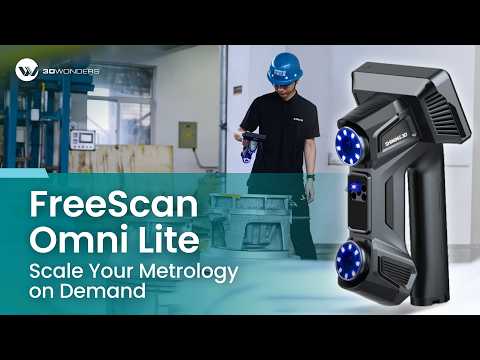
FreeScan Omni

The World's First Standalone Inspection-Ready Metrology 3D Scanner

The FreeScan Omni Series is a wireless, standalone metrology platform delivering 0.02 mm certified accuracy. Built for quality control professionals , it features onboard computing, an integrated screen, and dual light sources to enable high-performance scanning and instant inspection directly on the shop floor.

Available Variants:

  • FreeScan Omni: Fully integrated, on-device scan-to-inspect solution.  
  • FreeScan Omni Lite: High-performance core scanner with optional expansion modules.

Included With Every Purchase

✓ Immediate Quick Start Resources & Tutorial Videos

✓ 1-Year Warranty

✓ One-on-One Training

✓ Authorized Reseller Technical Support

✓ Personalized Application Assistance

✓ U.S.-Based Support

  • Designed For

    Aerospace, automotive, and heavy equipment quality control inspectors who need instant, on-site, standalone scanning and inspection without a PC.

  • Not Recommended For

    Hobbyists or designers working on small-scale projects with tight budgets who don't require metrology-grade accuracy or advanced shop-floor inspection reporting.

  • Standalone On-Device Inspection

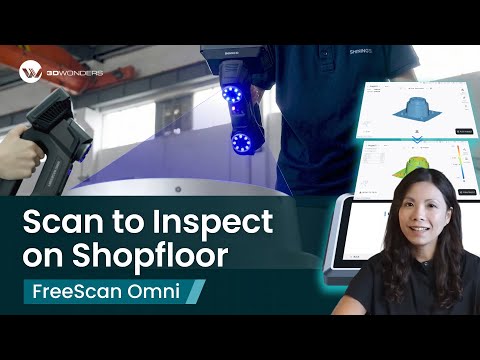
    Complete scanning, meshing, inspection, and reporting directly on the integrated screen.

  • Metrology-Grade Accuracy

    Achieve certified 0.02 mm volumetric accuracy for rigorous quality control.

  • Smart Dock Charging & Wi-Fi

    Quickly power up and automatically connect to networks with one simple docking step.

  • Multiple Scanning Modes

    Switch between 93 laser lines, detailed, deep pockets, and IR markerless scanning seamlessly.

  • AI Feature Recognition

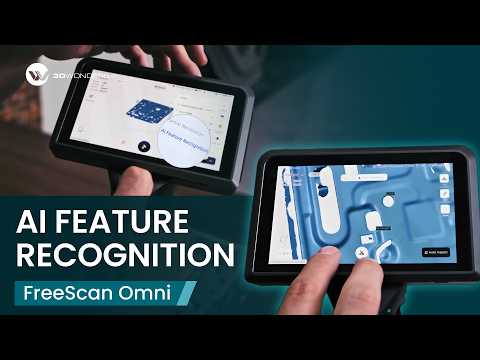
    Intelligent boundary detection ensures fast, precise measurement of holes and slots.

  • Blazing-Fast Edge Computing

    Process up to 7,619,000 points/s using the onboard 32G and 1TB SSD module.

1 of 6

What's The Difference Between FreeScan Omni and FreeScan Omni Lite?

FreeScan Omni: Fully integrated, on-device scan-to-inspect solution.  
FreeScan Omni Lite: High-performance core scanner with optional expansion modules.

Feature FreeScan Omni FreeScan Omni Lite
SHINING3D Inspect module for PC
On-device inspection
Video Photogrammetry (VPG)
AI Feature Recognition
Two Work Modes (PC and Standalone mode)
Multiple Scanning Modes
(high speed / detailed / deep pockets / IR scan)

3D Scanner & Software Bundles

Main product

FreeScan Omni

FreeScan Omni

Available on Request

Add-on products

SHINING3D Inspect

SHINING3D Inspect

$4,900.00
EXModel Reverse Engineering Software

EXModel Reverse Engineering Software

$540.00
Quicksurface Reverse Engineering Software

Quicksurface Reverse Engineering Software

$540.00
Geomagic Design X Reverse Engineering

Geomagic Design X Reverse Engineering

$3,992.00

Your bundle

FreeScan Omni
Available on Request
Total Available on Request

Request a Quote

Your bundle:

See How Businesses Use This in the Real World

case study

KE-TEC: Rapid Inspection for EV Battery Development

"The FreeScan Omni is the first handheld scanner we've seen that can be fully operated without a PC, while still delivering performance comparable to a workstation-connected device. We can now get highly informative results in a very short amount of time. Compared to conventional measurement methods, we are not only able to capture dimensions retrospectively, but also with much greater accuracy."

Antonio Weixler, Project Engineer, KE-TEC GmbH.

Watch the Story
  • Industry & Manufacturing (ENG)

    Enables immediate shop-floor quality control and efficient measurement for heavy equipment.

  • Automotive & Transportation (AUT)

    Captures sharp, detailed 3D data for vehicle components using dual 5MP industrial cameras.

  • Architecture, Engineering & Construction (AEC)

    Leverages VPG and wireless mobility for consistent large-object scanning and infrastructure inspection.

1 of 3

FreeScan Omni Video Review & Tutorials

FreeScan Omni Video 1
FreeScan Omni Video 2
FreeScan Omni Video 3
  • Hands-On with Our FreeScan Omni Series

    See how the full workflow performs in real conditions.
    Book a personalized demo with our experts.

    Book a Demo
  • Got a Question About FreeScan Omni Series?

    Our technical team is ready to help with specifications, workflows, and integration.

    Contact Us

Compare 3D Scanners

Select up to 4 scanners to compare key specifications side-by-side

Product Name FreeScan Omni
FreeScan Omni
Object Size for Best Results 5mm - 50 m³ (0.20 in - 1766 ft³)
Accuracy up to 0,02 mm
Resolution up to 0,01 mm
Volumetric accuracy up to 0.02 + 0.015 mm/m
Max fov 1205 x 1104 mm
Scan speed up to 7,619,000 points/s
Light source Blue Laser
Number of laser lines 93 lines | High-speed
25 lines | Fine detail
1 line | Deep pockets
Color scanning No
Wireless Yes
Marker free Yes

Accelerates shop-floor inspection with a fully wireless, standalone workflow.

  • Rapid Scalable Quality Control

    Preset templates allow frontline staff to generate instant, consistent reports.

  • Future-Proof Investment

    A scalable platform allows you to expand the Omni Lite with optional modules as your needs evolve.

1 of 2
  • 1. Smart Dock Setup

    Dock the scanner once for an instant power boost and automatic Wi-Fi connection.

  • 2. Standalone Scanning

    Capture data wirelessly at 7,619,000 points/s using the onboard computing module.

  • 3. Automated Inspection

    Run preset, one-click inspections automatically using the built-in SHINING3D Inspect software.

  • 4. Effortless Reporting

    View detailed reports directly on the screen or export them to a USB or PC.

1 of 4

Computer Requirements

Component Requirement
Operating System Windows 11 Pro (64-bit)
Processor Intel i7-136650 HX
Memory (RAM) 64 GB DDR5
Graphics Card NVIDIA RTX 4060 or higher Video memory: ≥12G
Storage SSD with 250 GB available space
USB Port 3.0
Internet Required for first activation and updates
Screen resolution 1920*1080 DPI: 100%;
3840*2106 DPI: 100%; 200%

Frequently Asked Questions

Looking for something specific? Let us know, and we’ll be happy to assist you.

What makes the FreeScan Omni different from other handheld 3D scanners?

Unlike conventional handheld 3D scanners, the FreeScan Omni is a standalone inspection-ready metrology 3D scanner — meaning all scanning, computing, and inspection happen directly on the device, no PC required.

Does the FreeScan Omni purchase include the SHINING3D Inspect module?

Yes! The SHINING3D FreeScan Omni is an inspection-ready metrology system, and the powerful, PTB-certified SHINING3D Inspect module is included with your purchase.This includes:

  • The "On-Scanner Scan-to-Inspect" feature, which is the module built directly into the wireless scanner for immediate quality control.
  • The full desktop version of the SHINING3D Inspect software for advanced analysis, template creation, and reporting.
Is the SHINING3D Inspect module permanently maintained and updated after purchasing the Omni?

Yes, SHINING 3D will continuously maintain and update the SHINING 3D Inspect software and bring new features and improvements, ensuring the software remains powerful and up to date. All FreeScan Omni customers will receive these updates.

Besides having SHINING3D Inspect in Omni, will get access to desktop version as well?

Yes, FreeScan Omni comes with the full version of SHINING 3D Inspect included in the package. It’s available not only on the scanner itself but also as a desktop application, allowing you to create inspection templates or use it as a standalone inspection tool.

How long is the battery life of FreeScan Omni?

FreeScan Omni requires 4 batteries to operate. Each package includes 8 rechargeable batteries, allowing for continuous scanning of up to 1 hour per set. Thanks to its hot-swappable battery design, you can replace batteries without shutting down the device, enabling uninterrupted scanning.

How is high accuracy maintained when scanning large objects?

FreeScan Omni comes with a validated scale bar in the package that being integrated with SHINING 3D video photogrammetry technology to verify markers in real time, which is also reusable for multiple times to improve overall accuracy for large object scans. 

Is there another way to scan and process data besides directly on Omni itself?

FreeScan Omni is a standalone device, but it can also work with our desktop FreeScan Omni software, to provide more powerful scanning experience and plenty of features to process your data. With FreeScan Omni, you can stream scanning on your desktop, manage multiple projects, fuse resolutions, and take advantage of various data editing tools, all with customizable settings to suit your needs.

Does SHINING3D Inspect support cloud license?

The license is tied to a specific laptop. If you want to use it on a different device, you’ll need assistance from SHINING 3D support to transfer the license.

How does the Smart Dock work?

The Smart Dock combines power and Wi-Fi setup into one simple step. Docking the device provides a quick power boost and automatically connects it to your network.

What is AI Feature Recognition?

It uses intelligent boundary detection to provide fast, precise measurements of round holes, rectangular holes, and slots, ensuring high-quality and highly accurate data capture.